Google Maps Rankings Can Shift After a Move: Agencies, Check the Pin
Google Maps Rankings Can Shift After a Move: Agencies, Check the Pin

Changing your business address can shift your Google Maps ranking, but the real driver is the geocoded map pin, not the text you type into the address field. Reviews usually carry over when you edit your existing profile instead of creating a new one, though reverification and short-term rank swings are common. Before you touch anything, snapshot your current grid rankings and confirm how your address geocodes.
TL;DR:
- Check the exact new address for a ROOFTOP geocoding match before editing; Google calculates distance from the coordinate, not the displayed address.
- Edit the existing verified profile rather than creating another listing; reviews usually transfer, but hotels, golf courses, and scenic attractions may require manual confirmation.
- Update your website and major directories before submitting the address change, and prepare verification documents because Google may temporarily limit visibility while reviewing the profile.
- Service area businesses can retain an outdated hidden coordinate; scan both locations and escalate if rankings still cluster near the old address after a month.
Table of Contents
- How Google uses address text vs. the geocoded map pin
- Verification, reviews, and suspension behavior when you move an address
- Service-area businesses and hidden-address complications
- Step-by-step checklist to update your address safely
- Monitoring and validating whether your functional anchor moved
- How agencies verify address moves in practice
- Impact of address changes beyond Google Maps rankings
- Typical timeline after updating an address
- Analyzing competitor address changes to adjust your strategy
- Communicating address changes to clients
- Integrating address-change data with other local SEO tools
- When to delay an address edit and when it’s worth the risk
- How Maprank helps you confirm and report address-change impact
- FAQ
- Sources
How Google uses address text vs. the geocoded map pin
The address you type into your Google Business Profile is a string of characters. The coordinate Google actually uses to calculate distance, the geocoded pin, is a separate piece of data derived from that string. These two things usually agree, but not always, and the gap between them explains a lot of confusing ranking behavior after a move.
Geocoding is the process of converting a text address into latitude and longitude. When that conversion lands precisely on the building, it is called a ROOFTOP match. When it does not, Google falls back to an approximate match, sometimes placing the pin on the nearest street segment, the center of a postal code or even further off. A small variation, writing “St.” instead of “Street,” omitting a suite number or using an outdated unit designation, can be enough to drop a ROOFTOP match down to a partial one.
A partial match (returned by geocoding systems as partial_match) tells you the system could not confidently resolve the full string. The practical effect is a pin that sits somewhere near your building rather than on it, which matters enormously for relevance, distance, and prominence, Google’s own framework for ranking local results. Distance is calculated from the coordinate, not the sentence a customer reads.
Before editing anything in your Business Profile, run the exact address string through a geocoding check and confirm you get a ROOFTOP-level result:
- Enter the full, formatted address exactly as it will appear on your profile.
- Check whether the response comes back as a precise rooftop match or an approximate one.
- Fix formatting issues (abbreviations, suite numbers, directionals) before submitting the edit.
- Re-check after submission, since Google sometimes re-geocodes independently of what you entered.
Verification, reviews, and suspension behavior when you move an address
Google’s own guidance is direct about how to preserve your review history during a move: edit your existing, verified profile rather than creating a new one. According to Google’s support documentation on moving reviews between profiles, reviews typically transfer automatically when you update the existing listing and keep the same business name. Create a fresh profile instead, and you risk orphaning years of review history with no path to recover it.
That guidance comes with a notable exception. Google states that hotels, golf courses and scenic attractions may not have reviews moved automatically even when the business name stays the same, so operators in those categories should treat a move as higher-risk and confirm review continuity manually after the edit.
Editing an address on a verified profile frequently triggers reverification, a postcard, phone call or video verification step that confirms you actually operate at the new location. This is the single biggest source of temporary visibility loss after a move: while your profile sits in a verification queue, Google tends to limit how prominently it surfaces the listing, which can look like a ranking drop even though nothing about relevance or prominence has actually changed.
A few practical moves reduce friction during this window:
- Sync your website, major directories, and citation sources with the new address before you submit the Business Profile edit.
- Have verification documentation (lease, utility bill, business license) ready to upload immediately if requested.
- Avoid editing other fields (category, hours, name) in the same session as the address, since bundling changes can extend review time.
- Monitor your profile dashboard daily during the verification window rather than assuming silence means success.
Service-area businesses and hidden-address complications
Service-area businesses (SABs), the plumbers, cleaners, and mobile technicians who serve customers at their location rather than a storefront, can hide their street address on their Business Profile. Google still stores a coordinate internally for ranking purposes, even when that address is hidden from public view, and that internal coordinate does not always update cleanly when you move.
Practitioner testing covered by Search Engine Land documents several failure modes tied to this hidden-coordinate behavior. In some cases the functional pin reverted to the business’s original registration address even after the visible listing was edited. Other documented bugs placed the anchor at odd fallback points, a geographic center of a state (sometimes called the Kansas Bug) or even a coordinate out in open ocean, after an address was cleared or hidden.
A useful operational signal: if your visibility cluster in grid rank results does not match the area you actually serve, suspect an outdated internal anchor rather than a ranking algorithm problem. Run a grid scan centered on both the old and new locations to see which one your rankings actually cluster around.
- SABs rank from an internal coordinate even though the address itself is hidden from searchers.
- Documented bugs have anchored hidden addresses to incorrect fallback points after an edit.
- A mismatched visibility cluster is the clearest sign the old anchor is still active.
- Temporarily unhiding the address can force Google to re-anchor, but it exposes your exact location publicly in the meantime.
Pro Tip: If you unhide an address to force re-anchoring and the profile gets suspended mid-process, Google’s reinstatement flow may require hiding it again, which can reset the anchor back to where you started. Have your grid baseline ready before you try this.
Step-by-step checklist to update your address safely
Treat an address change like a migration, not a form edit. The order matters more than the speed.
Pre-edit steps:
- Snapshot your current grid rankings across the areas you serve, so you have a true baseline to compare against later.
- Run your new address through a geocoding check to confirm it resolves to a ROOFTOP match.
- Update your website schema markup and major citations (Apple Maps, Yelp, relevant directories) to the new address before touching your Google Business Profile.
- Take screenshots of your current Maps visibility and search appearance for reference.
Edit steps:
- Edit your existing, verified Business Profile; never create a second listing for the same business.
- Adjust the map pin manually in the dashboard if Google does not place it correctly after the address change.
- Submit the edit and expect a reverification request by mail, phone or video.
Post-edit steps:
- Confirm the reverification process completes and the profile shows as verified again.
- Check that your review count and history carried over intact.
- Re-run your grid scans and compare them against your pre-edit baseline.
- Finish syncing any remaining citations and internal links that still point to the old address.
Local ranking depends on relevance, distance, and prominence, and distance is calculated from your geocoded coordinate rather than the text string, which is why the pre-edit geocoding check in step 2 matters as much as the edit itself.
If your listing already ranks well in its current location, the safer default is to delay and stage the move carefully. If the new address reflects a market you genuinely need to serve now, proceed, but do the citation and schema sync first.
Monitoring and validating whether your functional anchor moved
A single rank check tells you almost nothing. Local rankings vary by the searcher’s location, so the only reliable way to confirm whether your pin actually moved is to scan a grid of points around both the old and new locations and compare the pattern.
Grid size should match the question you are trying to answer. A coarse city-level grid shows whether your visibility cluster shifted neighborhoods at all. A denser neighborhood-level grid (something like a 13x13 pattern spaced a few hundred meters apart) catches block-level anchoring issues that a wider grid would miss entirely.
When comparing before and after scans, look for a cluster shift, meaning the zone where you rank in the top positions moves toward the new address, rather than scattered noise across a handful of points. A rank improving by one or two spots at a single grid point is noise. A consistent shift in your top-ranking zone toward the new coordinate is signal that the anchor actually moved.
- Run daily grid checks for the first one to two weeks after the edit, when volatility is highest.
- Drop to weekly checks for the following month once the profile clears reverification.
- Compare your post-edit cluster against your pre-edit baseline, not against a single snapshot.
- Escalate to a support ticket if the mismatch persists past a month, bundling your grid evidence with your citation records.
Pro Tip: Keep your pre-move grid export. It is the single piece of evidence that makes a Google support escalation credible if your anchor refuses to move.
For a deeper look at setting up grids correctly for smaller operations, our guide on monitoring local visibility on a budget walks through grid density choices in more detail.
How agencies verify address moves in practice
A typical agency workflow for managing a client’s address move follows a consistent sequence: snapshot the client’s current grid rankings, sync every public citation to the new address, verify the geocoding result, submit and verify the Business Profile edit, then run a post-move scan to confirm the anchor shifted before reporting back to the client.
- Pre-move snapshot establishes the baseline every later comparison depends on.
- Citation sync across the website, directories and schema reduces conflicting signals before the edit goes live.
- Geocode verification confirms the new address resolves precisely rather than approximately.
- Post-move scan, run at the same grid points as the baseline, is the only proof the anchor actually relocated.
Custom grid density, white-label report exports and rank-change alerts shorten the loop between making the edit and having proof to show a client. Instead of telling a client “it should be fine in a few weeks,” an agency can hand over a side-by-side grid comparison with the client’s own branding on it.
| Workflow step | What it confirms | Useful tooling feature |
|---|---|---|
| Pre-move snapshot | Baseline ranking cluster before any edit | Customizable scan grid |
| Citation sync | Consistent address across the web | Manual cross-checking against directories |
| Geocode verification | Whether the address resolves to ROOFTOP | Geocoding API check |
| Post-move scan | Whether the functional anchor shifted | Grid comparison with alerts |
| Client report | Documented before/after impact | White-label export |
This kind of workflow is exactly what grid-based tools like Maprank’s ranking tracker are built to support, with unlimited businesses on every plan so an agency can run this process across its full client roster without separate per-location fees.
Impact of address changes beyond Google Maps rankings
An address edit does not only affect your map pack position. It touches the relevance and prominence signals Google blends with distance to decide local rankings.
Relevance depends partly on how well your business information matches what a searcher is looking for, and an address change can shift which category or neighborhood association Google attaches to your listing. Prominence, Google’s measure of how well-known a business is based on information from across the web, takes a hit when your address is inconsistent across citations, since conflicting location data makes it harder for Google to confirm you are a stable, established business at the new site.
This is why citation sync belongs before the Business Profile edit, not after it. A website still showing the old address, a Yelp listing with outdated schema, or a directory entry pointing to the previous location all dilute the prominence signal Google is trying to build around your new address. The faster every public reference agrees on the new location, the faster Google’s confidence in that location recovers, and confidence is a meaningful part of how prominence gets calculated.
Treat the address change as a full local SEO event, not a single-field update. The map pin is the most visible symptom, but relevance and prominence are the underlying signals doing most of the work behind it.
Typical timeline after updating an address
Most address moves follow a rough pattern, though the exact timing depends on reverification speed and how clean your citation sync was going in. Expect some disruption in the first week or two, since reverification itself tends to reduce how prominently Google surfaces a profile while it confirms your new location is legitimate.

Once reverification clears, usually within a few days to a couple of weeks depending on the verification method, rankings typically start to stabilize around the new coordinate, assuming the geocoding resolved cleanly and citations were already in sync. For service-area businesses with hidden addresses, this stabilization can take longer if the internal anchor has not actually shifted, which is why grid scans in the following weeks matter more than a single check right after the edit.
By the one-month mark, a clean move usually shows a stable, consistent ranking cluster around the new location in grid scans. If your scans still show scattered results or a cluster closer to the old address at that point, something in the geocoding or the internal SAB anchor likely did not update, and it is worth escalating with evidence rather than waiting longer.
Analyzing competitor address changes to adjust your strategy
When a competitor moves locations, their visibility often dips temporarily the same way yours would, which creates a short window where their map pack presence weakens in their old service area. Tracking competitor grid rankings over time makes these moves visible even when you have no direct insight into their internal operations.
A sudden drop in a competitor’s ranking across a specific grid zone, especially one that coincides with a changed address on their public profile, usually signals they are mid-move and dealing with reverification. That is a reasonable window to push harder on local content, citation freshness, and review responses in the zones where they are temporarily weaker.
The same monitoring applies in reverse: if a competitor’s cluster suddenly shifts toward a new neighborhood, it is worth checking whether they expanded a service area or physically relocated, since either change affects how you should be allocating local SEO effort across shared territory. Grid-based competitor tracking turns what would otherwise be a guess into a dated, visible pattern.
Communicating address changes to clients
Clients managing a physical relocation are usually anxious about rankings dropping, and the biggest driver of that anxiety is uncertainty about timing. Setting expectations before the edit goes live, rather than after rankings wobble, avoids most of the difficult conversations.
Tell clients upfront that some reverification-related disruption is normal and typically resolves within the first couple of weeks, rather than letting them discover a temporary dip and assume something went wrong. Share the pre-move baseline with them so there is a clear point of comparison once the dust settles, and set a specific date for the first post-move check-in rather than leaving the timeline open-ended.
When the comparison is ready, a side-by-side grid report showing the before and after cluster is far more convincing than a verbal reassurance that “things look fine.” It gives the client something concrete to point to, and it gives you a documented record if the client raises concerns again later.
Integrating address-change data with other local SEO tools
Grid ranking data is most useful when it sits alongside the other signals you are already tracking for a client: citation consistency, review velocity, and on-site local SEO health. An address move touches all three, so isolating grid results from the rest of the campaign view makes it harder to diagnose what actually caused a ranking shift.
Pairing a pre/post grid comparison with a citation audit tool shows whether lingering inconsistent listings are dragging on prominence even after the Business Profile itself is fully verified. Layering in review monitoring confirms whether review transfer went as expected, since a quiet drop in review count after a move is worth catching early rather than discovering months later.
For agencies running this across several clients, consistency in how the data gets reported matters as much as the data itself. Our breakdown of real-time Google Maps rank tracking covers how alerting can flag an unexpected shift the moment it happens, rather than waiting for a scheduled report to surface it.
When to delay an address edit and when it’s worth the risk
A listing that already ranks well locally does not need a rushed edit. Plan the move, sync citations first, and validate with pre and post grid scans rather than flipping the switch and hoping.
If the new address puts you in a market you genuinely need to serve now, accuracy matters more than speed: get every citation aligned, then make the edit during a low-traffic window so any disruption has less immediate business cost.
Forced relocations do not offer that luxury. When you have no choice but to move quickly, accept that reverification is coming and prepare your evidence bundle, grid baseline, citation records, verification documents, before you submit the edit, not after a support ticket becomes necessary.
— Local
How Maprank helps you confirm and report address-change impact
An address move is only confirmed once you can see the ranking cluster actually shift, and that is the specific gap grid-based tracking closes. We built Maprank around that exact need: confirming, with data, whether the anchor moved and giving you something client-ready to show for it.
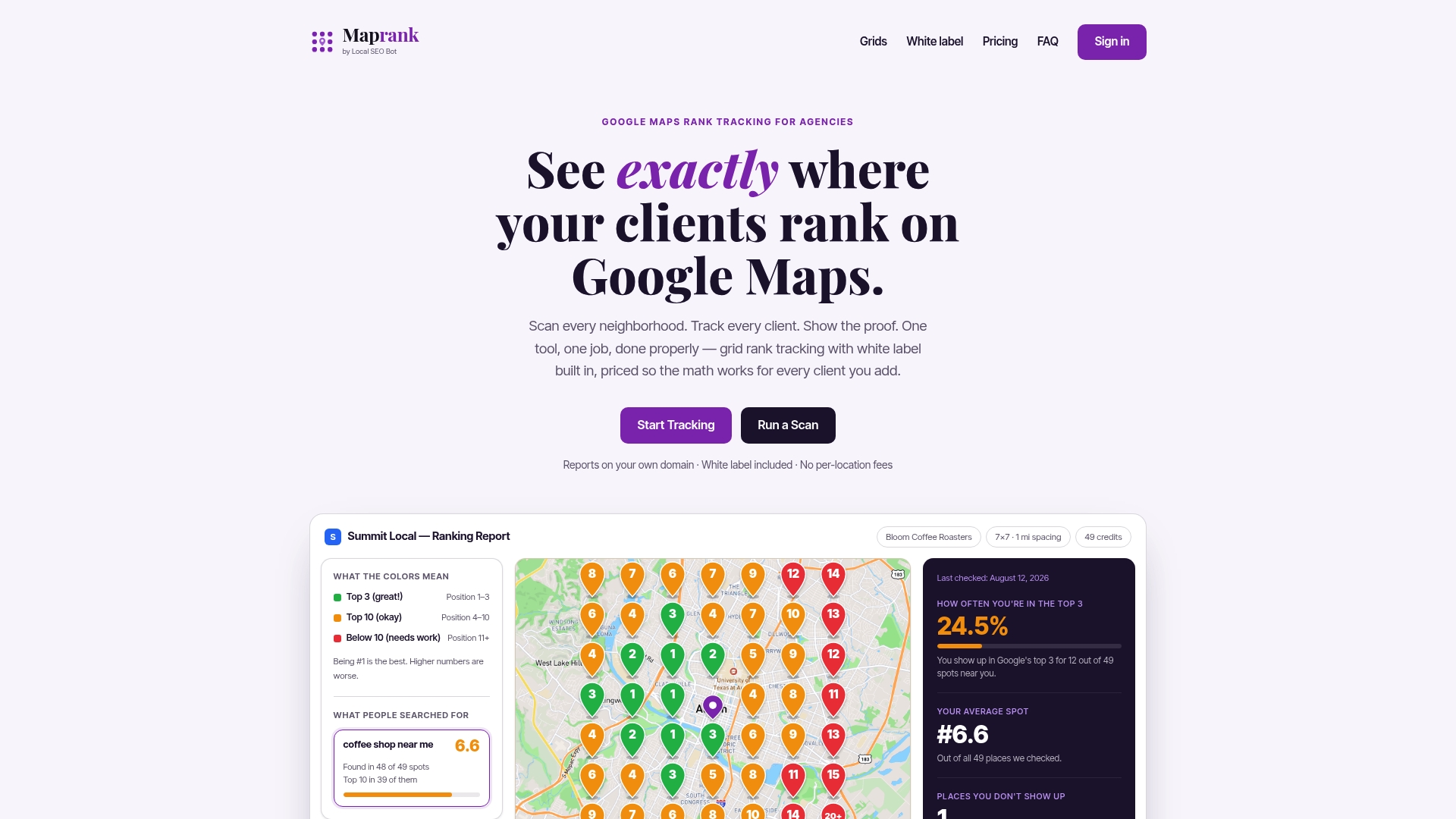
Running the before and after comparison does not require a Google account connection on our end. You set a custom grid over the old location, snapshot it, update the Business Profile, then run the same grid again once reverification clears.
- Customizable scan grids let you match the density to the question, a wide city grid or a tight neighborhood one.
- Reports export on your own domain, so the before and after comparison looks like your agency’s work.
- Rank-change alerts flag a shift the moment it happens instead of waiting for a scheduled check.
- Unlimited businesses on every plan mean the same workflow scales across your full client list without per-location fees.
Start with a one-off rank check if you need a single diagnostic scan, or set up an ongoing grid through the Maprank plans built for agencies managing this across multiple clients.
FAQ
How do I update an address location on Google Maps?
Edit your existing, verified Google Business Profile rather than creating a new listing, since Google’s own guidance ties review transfer to editing the same profile. After submitting the new address, you can adjust the map pin manually in the dashboard if it does not land on the correct coordinate.
Is Area 51 blurred on maps?
Satellite imagery of restricted military sites can appear lower resolution or outdated in some map products, but this has no connection to local business ranking mechanics. It reflects a separate imagery policy unrelated to how Google ranks business listings.
How do I rank in Google Maps?
Google ranks local results using three factors: relevance, distance, and prominence, according to Google’s own ranking guidance. Distance is measured from your geocoded coordinate, so a precise, ROOFTOP-level address match matters as much as the category and review signals that drive relevance and prominence.
What does it mean to rank on Google?
Ranking on Google in a local context means your Business Profile appears in the map pack or local search results for a given search term and location. Position depends on how well your profile matches the search’s relevance, distance and prominence signals compared to nearby competitors.
How long does it take for rankings to stabilize after an address change?
Most profiles see some disruption during the reverification window, which typically takes anywhere from a few days to a couple of weeks depending on the verification method. Once verification clears and citations are consistent, rankings around the new coordinate generally stabilize within about a month, assuming the address geocoded correctly.
Sources
- Google Business Profile address changes & local rankings - Search Engine Land
- Tips to improve your local ranking on Google - Google Business Profile Help