Local Owners: Diagnose Hard vs Soft GBP Suspensions, Reclaim Listing
Local Owners: Diagnose Hard vs Soft GBP Suspensions, Reclaim Listing
Open the Google Business Profile appeals tool and submit a targeted appeal with official documentation that exactly matches your profile’s name and address. Before you do, confirm whether you’re dealing with a full profile suspension or an account restriction, since account issues need to be cleared first. Never create a second listing or file duplicate appeals while one is pending. That single move, done correctly, is what gets most listings back.
TL;DR:
- Diagnosing whether a suspension is soft or hard guides the correct appeal process; misclassification often results in rejection.
- Necessary documentation must match your profile’s name and address exactly; official registration and utility bills are most effective.
- You have just 60 minutes to upload evidence after opening the appeal form; preparedness prevents losing attached files.
- Account restrictions, not just profile issues, can cause suspensions; fixing the account itself may restore access without a separate profile appeal.
- Repeatedly submitting the same appeal after denial is ineffective; instead, add new evidence addressing specific violations or try alternative support channels.
Table of Contents
- How to Diagnose Soft Versus Hard Suspensions
- What Documents Do You Need to Prove Your Business Is Legitimate?
- How Do You Submit a GBP Reinstatement Appeal Correctly?
- When an Account Restriction Blocks Your Profile Appeal
- What to Do If Your GBP Appeal Gets Denied
- How to Keep Your Profile Safe After Reinstatement
- Agency Perspective: When to DIY and When to Call in Help
- Catch Visibility Drops Before They Become Suspensions
- Where to Verify GBP Reinstatement Guidance Directly
- Sources
How to Diagnose Soft Versus Hard Suspensions
Not every suspension looks the same, and treating them identically is how appeals fail twice. A soft suspension usually means your listing still shows up in search but carries a warning banner in your dashboard, often tied to unverified ownership or a flagged edit. A hard suspension means the listing has vanished from Maps and Search entirely, typically triggered by a policy violation Google considers more serious.
Check both signals before you act:
- Search your business name directly on Google Maps and see if anything appears at all.
- Log into your dashboard and read the exact banner language, not just the general “suspended” label.
- Note whether recent edits, a bulk upload, or a new manager coincided with the suspension.
Practitioner guides on suspension recovery consistently point out that diagnosing hard versus soft suspensions determines which channel you should even be using. File a hard-suspension appeal for a soft issue, or vice versa, and you often waste your five-day review window and pick up an extra flag in the process.
What Documents Do You Need to Prove Your Business Is Legitimate?
Google’s appeals process runs on paperwork, not persuasion. The Google Business Profile appeals guidance lists specific evidence types it will actually accept, and vague scans of random paperwork rarely move the needle.
Gather these in order of strength:
- Business registration certificate from your state or local authority, showing your legal business name.
- Business license specific to your trade or location, if your industry requires one.
- Tax certificate confirming your registered business address.
- Utility bills (electricity, water, phone, or internet) dated within the last few months.
- Photos of your storefront or signage and a screenshot of your live website, as supporting context.
Every document must show the exact same business name and address listed on your profile. A mismatched suite number or an old DBA name is enough to get an appeal rejected outright.
Pro Tip: Zip your documents into one labeled folder before you start the appeal. You’ll thank yourself when the upload timer starts running.
Aim for at least two corroborating documents, and lead with official registration paired with a utility bill or license. That combination tends to satisfy reviewers faster than five loosely related files.

How Do You Submit a GBP Reinstatement Appeal Correctly?
The appeals tool walks you through a fixed sequence, and skipping a step or rushing the evidence upload is the most common way business owners sabotage their own case.
Here’s the flow:
- Sign into the account tied to the suspended profile and select it from your list of locations.
- Choose the specific decision you’re appealing and link it to the policy Google cited, if one is listed.
- Open the evidence form. This starts a strict clock.
- Fill in the “additional information” field with a short, factual explanation tied directly to the cited policy. Skip the emotional appeal. Reviewers respond to specifics, and appeals with concise, policy-focused explanations tend to outperform generic pleas.
- Submit and wait. Do not resubmit the same appeal while it’s under review.
Once you open that evidence form, you have 60 minutes to upload everything and submit it, or your documents won’t attach to the appeal. That detail from Google’s own suspended-profile guidance trips up more people than any part of the process. Have your files ready and labeled before you click to open the form.
Reviews and decisions can take up to five business days. Resist the urge to file a second appeal in the meantime. Creating a duplicate profile while you wait is worse. It frequently triggers additional flags on top of the original suspension.
When an Account Restriction Blocks Your Profile Appeal
Sometimes the profile isn’t the actual problem. If your Google Account itself has been restricted, every Business Profile tied to that account can get suspended as a side effect, and no amount of profile-level evidence will fix that.
Signs you’re dealing with an account restriction rather than a profile suspension:
- You can’t sign into the account at all, or you get a generic “account disabled” message instead of a profile-specific banner.
- Multiple unrelated locations under the same account went down at once.
- The suspension notice mentions account standing rather than a specific listing violation.
If any of that matches, appeal through Google’s My Accounts flow first. Account restrictions cascade down to every managed location, so lifting the account block usually restores access to the profiles automatically, without a separate profile appeal at all.
What to Do If Your GBP Appeal Gets Denied
A denial isn’t the end of the road, but resubmitting the exact same package is a waste of another five-day cycle. Google expects new information, not a repeat request.
- Request an additional review only after you’ve added evidence that directly counters the cited violation, not just more of the same documents.
- If the denial cited an address issue, add something you didn’t include the first time, such as a dated utility bill or a photo of signage at that exact address.
- Consider whether a different submission channel, such as a Product Expert forum thread or a support callback, fits your case better than a third identical appeal.
- Document every submission date and reference number so you can show a reviewer the full history if you escalate.
The pattern that actually works, according to recovery specialists who handle this daily, is changing the approach after a denial rather than repeating it. New angle, new document, or new channel. Not the same file twice.
How to Keep Your Profile Safe After Reinstatement
Getting reinstated is only half the job. Plenty of businesses lose their listing again within months because they never fixed what triggered the first suspension.
- Audit every field against Google’s current guidelines: business name formatting, category selection, and address structure are the most common repeat offenders.
- Remove any manager or owner on the account you don’t personally recognize, and turn on two-factor authentication for every admin.
- Set a recurring calendar reminder to check your listing’s live search visibility, not just its dashboard status.
- If you manage several locations or clients, put a lightweight monitoring routine in place so a drop gets caught in days, not months.
Agency Perspective: When to DIY and When to Call in Help
Most agencies run the same playbook: diagnose the suspension type, build a document package, submit, then escalate if denied. Where owners lose time is skipping diagnosis and firing off an appeal blind, or resubmitting the same denied package twice.
Hiring specialist help earns its cost when a client has multiple locations down at once, when the account restriction is tangled up with the profile suspension, or when a first appeal already failed and the clock matters more than the fee.
— Local
Catch Visibility Drops Before They Become Suspensions
Maprank gives agencies a way to spot trouble before a client’s listing disappears entirely. A profile that’s quietly losing map pack visibility in certain neighborhoods often shows the same warning signs that precede a suspension, and most account managers never notice until a client calls asking why their calls stopped.
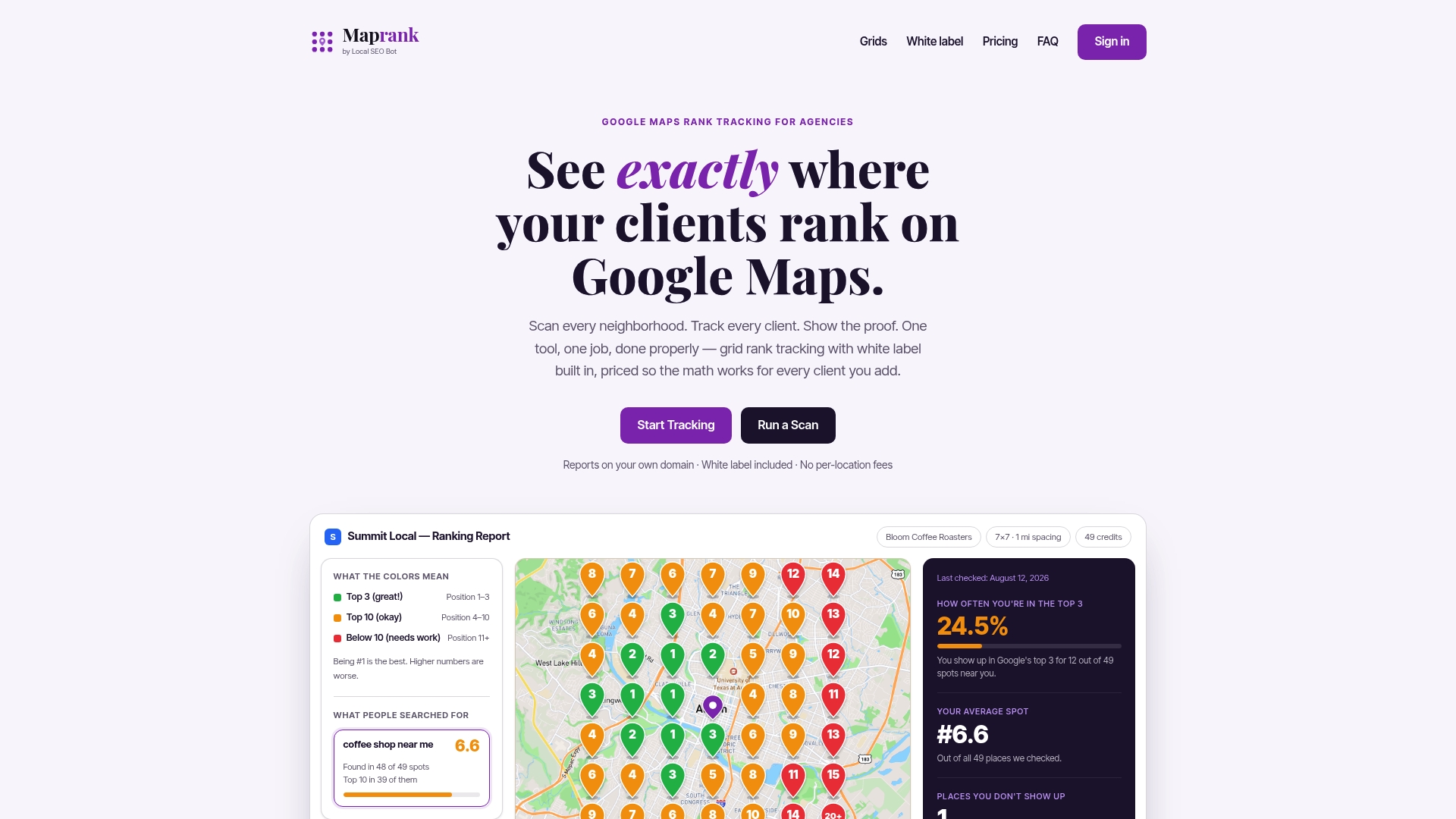
Grid-based tracking shows you exactly where a client ranks, block by block, without needing Google account access for every location you manage. That matters after reinstatement especially, when one manager error or a missed policy update can put you right back where you started. White-label reporting lets you hand clients a branded visibility report instead of a screenshot, which keeps the conversation about results, not tools.
If you’re managing reinstated profiles for clients, or just want to stop finding out about ranking drops secondhand, take a look at the Google Maps rank tracker and set up monitoring on the accounts you care about most.
Where to Verify GBP Reinstatement Guidance Directly
- Appeal Business Profile content & restrictions — the official appeals tool and review timeline.
- Fix suspended or disabled profiles — the 60-minute evidence rule and duplicate-profile warning.
- Google Business Profile suspensions and account restrictions — how account-level issues affect managed listings.
- For hands-on document review, Repvive’s free GBP audit can flag mismatches before you submit.
Sources
- Appeal Business Profile content & profile restrictions - Google Business Profile Help
- Fix suspended or disabled profiles - Google Business Profile Help
- Google Business Profile suspensions and account restrictions - Search Engine Roundtable