How Reviews Impact Your Google Maps Rankings
How Reviews Impact Your Google Maps Rankings

Reviews affect where a business appears on Google Maps, but not all review signals carry the same weight. Google’s own guidance says review count and score factor into local rankings. Independent studies point to volume, recency and owner responses as the signals that move the needle most. The effect also differs from one neighborhood to the next, so it only becomes useful once you measure it on a map.
This guide covers what the evidence says, which review factors seem to matter, how to earn reviews within Google’s rules, and how to check whether your review work is changing your visibility block by block.
TL;DR
- Google’s local ranking guidance names review count and score as part of prominence, so reviews are a real input to Maps visibility.
- Studies suggest recency, volume and owner replies tend to matter more than a perfect star average.
- Reviews work alongside relevance, distance and the rest of your profile. They do not replace them.
- Earn reviews by asking every customer, never by paying, gating or pressuring. Policy violations can cost you more than a single review.
- Rank visibility changes by location, so track it on a grid to see where reviews actually help.
Table of Contents
- What Google says about reviews and local rankings
- The review factors that appear to matter
- How reviews interact with other local ranking factors
- Why the effect differs by neighborhood, industry and region
- How to earn reviews without risking your profile
- Measuring whether reviews moved your rankings
- Our perspective
- See your review impact on the map
- FAQ
- Sources
What Google says about reviews and local rankings
Google describes local results as a mix of relevance, distance and prominence. Prominence is about how well known a business is, and Google’s guide says review count and score are part of it. A 2021 report on a statement from Google’s John Mueller adds a useful boundary: reviews are not a signal for ordinary web search, while the same report notes that Google’s guide confirms they factor into local rankings.
That distinction matters. Reviews influence the map pack and Maps results. They are not a lever for the blue links further down the page.
Academic work points the same way. A peer-reviewed 2023 study in Smart Tourism looked at Google, Bing and Yelp and found that online reviews are built into local search platforms as ranking factors, which in turn shapes what searchers see and choose. The study centers on tourism businesses, so treat it as strong support for the general direction rather than a formula for every industry.

The review factors that appear to matter
When people ask whether reviews help rankings, they usually mean one of four things: how many you have, how high your rating is, how recent they are, and what they say. Each plays a different role.
Volume and velocity
A steady flow of new reviews is a signal that a business is active and relevant. Yext’s research on 8.7 million Google search results found that active review management, meaning many positive reviews and prompt owner responses, was the strongest signal for local pack visibility across most industries and regions. Notice that the finding combines quantity with responsiveness.
For a practical read, one burst of 50 reviews in a week followed by silence looks different from five or six reviews every month. The steady pattern is easier to sustain and easier to defend.
Star rating
Star ratings do two jobs. They may feed into prominence, and they strongly shape whether a searcher clicks or calls once you appear. Some practitioners report that a higher count beats a higher average when the two conflict. That is anecdotal and varies by market, so do not chase 5.0 at the cost of collecting reviews from ordinary customers. A natural mix of ratings is also more credible to shoppers.
Recency
Fresh reviews tell both Google and searchers that the business is operating today. A profile with hundreds of reviews that all date from three years ago can look stale next to a competitor with fewer but newer ones. This is why a repeatable ask, built into your service flow, beats a one-time campaign.
What the review says
Review text is content. When customers mention the service, such as “emergency plumber” or “gluten-free brunch,” and the neighborhood, they add relevance signals that you could never write on your own profile. You cannot script this, and Google’s policy says you must not request specific content. What you can do is make the experience, and your service names, easy to describe, and ask open questions such as how the visit went.
Owner responses
Google’s guidance tells businesses to value all reviews and reply professionally, briefly and helpfully, in a conversational rather than promotional tone and in good time. Replies are public, the reviewer is notified, and they can update their review after reading your reply, as Google explains on its page about reading and replying to reviews. You must verify your business before you can reply. Yext’s data suggests response speed is tied to visibility, and that the sensitivity varies by region.
How reviews interact with other local ranking factors
Reviews never work alone. Google’s three pillars still apply:
- Relevance: does your profile, category and content match the search? Reviews help here through the words customers use.
- Distance: how close is the business to the searcher? No review count can fully offset being far from the person searching.
- Prominence: how well known is the business, based on reviews, links, citations and other signals?
The practical consequence is that reviews amplify a solid foundation and cannot rescue a weak one. A profile with the wrong primary category, an inconsistent name, address and phone number, or a thin services list will cap what reviews can do. If you suspect a foundation problem, our guide to auditing why a business is not ranking on Google Maps walks through what to check before you invest in a review push.
It also explains why two businesses with identical reviews can rank very differently. Distance and category fit decide who is eligible to appear for a given search at a given spot. Reviews then help decide the order among those eligible.
Why the effect differs by neighborhood, industry and region
Yext’s 2025 study found that the effect of review signals is not uniform. Businesses in the Northeast were less sensitive to traditional SEO signals, while South and West businesses were more affected by slow review responses, especially over weekends. Food and dining businesses got relatively more value from recency and ratings. Treat these as directional findings from one dataset, not rules.
The same logic applies at street level. A restaurant may lead the pack three blocks from its door and vanish a mile away, even with a strong review profile, because distance and competitor density change by block. A single “average rank” number hides this. That is the gap a grid scan fills: it shows your position at many points around the business, so you can see whether reviews help you hold ground in your core area or push into new ones.

How to earn reviews without risking your profile
The safest approach is simple: ask every customer, make it easy, and never attach conditions. For a worked example of the ask itself, see this guide on how to ask for Google reviews, written around a service business that relies on repeat local customers.
Google says businesses can remind customers to leave reviews with a Google link or QR code, but must not offer incentives for posting, changing or removing a review. Reviews must reflect a genuine experience.
What the policy prohibits
Google’s Maps user-generated content policy prohibits:
- Offering payment, discounts or free goods or services in exchange for a review, or for changing or removing a negative one.
- Discouraging or prohibiting negative reviews.
- Selectively soliciting only positive reviews.
- Requiring or pressuring customers to leave reviews on the premises, or requesting specific content.
A recent write-up reports that, since April 2026, the policy also explicitly covers asking staff to solicit a set number of reviews, or reviews that mention a staff member. Check the current policy text before you set staff targets.
The cost of getting it wrong
Penalties go beyond losing individual reviews. Google says violations of its fake engagement policy can lead to profile restrictions such as a review freeze, temporary unpublishing of existing ratings, or a public notice that fake reviews were removed, as summarized here. In the US, the FTC’s Consumer Reviews and Testimonials Rule, effective in 2024, gives regulators explicit authority to penalize fake reviews. A ranking gain bought this way is not worth the exposure.
A simple review routine
- Send the review link by text or email right after the job or visit, while the experience is fresh.
- Print a QR code on receipts, invoices or counter cards.
- Ask every customer, not only the happy ones.
- Reply to every review, positive or negative, within a day or two, in a plain human tone.
- For a review that breaks policy, report it for removal. Google can remove reviews that violate its rules, and removed reviews stop showing on both Maps and Search.
- Review your monthly count, and keep it steady rather than spiky.
A legitimate negative review is not a policy violation. A calm, specific reply is usually the best response, and it is visible to everyone who reads the profile.
Measuring whether reviews moved your rankings
This is where most review advice stops, and where agencies lose credibility with clients. “We got you 30 new reviews” is an activity. “Your map pack coverage in the three neighborhoods you care about went from 22% to 41%” is a result.
Here is a clean way to test it:
- Baseline first. Run a grid scan for your main keyword before the review push, so you have a before picture.
- Log the inputs. Record review count, average rating and the date of your latest review at the time of each scan.
- Rescan on a schedule. Every two to four weeks is enough for most local markets.
- Compare the maps, not just the average. Look for which zones turned green and whether they sit near your location or farther out.
- Change one thing at a time where you can. If you also rewrite your categories the same week, you cannot attribute the gain.
Our guides on grid scans for agencies and on measuring the impact of local SEO work go deeper on the reporting side. For a broader view of levers beyond reviews, see 15 strategies to improve your Google Maps ranking.
Reading the results
If coverage grows in the zones nearest your location first and then spreads outward, that is the typical shape of a profile gaining prominence. If nothing moves after several weeks of steady new reviews, look at the foundation: category, services, location signals and competitors in that area. A competitor with far more reviews in a dense area can hold a zone for a long time, and the grid will show you exactly which blocks are worth contesting and which are not.
Our perspective
We built Maprank around one belief: you cannot manage what you only see as a single number. Review work is slow and unglamorous, and clients want proof that it pays off.
A grid scan turns that proof into a picture. You can show the neighborhoods where a review push helped, the gaps where a competitor still leads, and where the next effort should go. Because Maprank needs no Google account connection, you can start tracking a new client the same day.
Pricing should not punish you for doing more of this work. Every plan includes unlimited businesses and white label reporting on your own domain, so adding a client or a teammate never changes the logic of your costs. You pay for scan credits, and that is the part that scales with your work.
Local
See your review impact on the map
If you manage local visibility for clients, Maprank gives you grid-based Google Maps rank tracking with customizable scan grids and branded reports. Plans start with Solo at $19 per month ($228 per year), then Agency at $39 per month ($468 per year), Pro at $79 per month ($948 per year) and Scale at $149 per month ($1,788 per year). Unlimited businesses and white label features come with every plan.
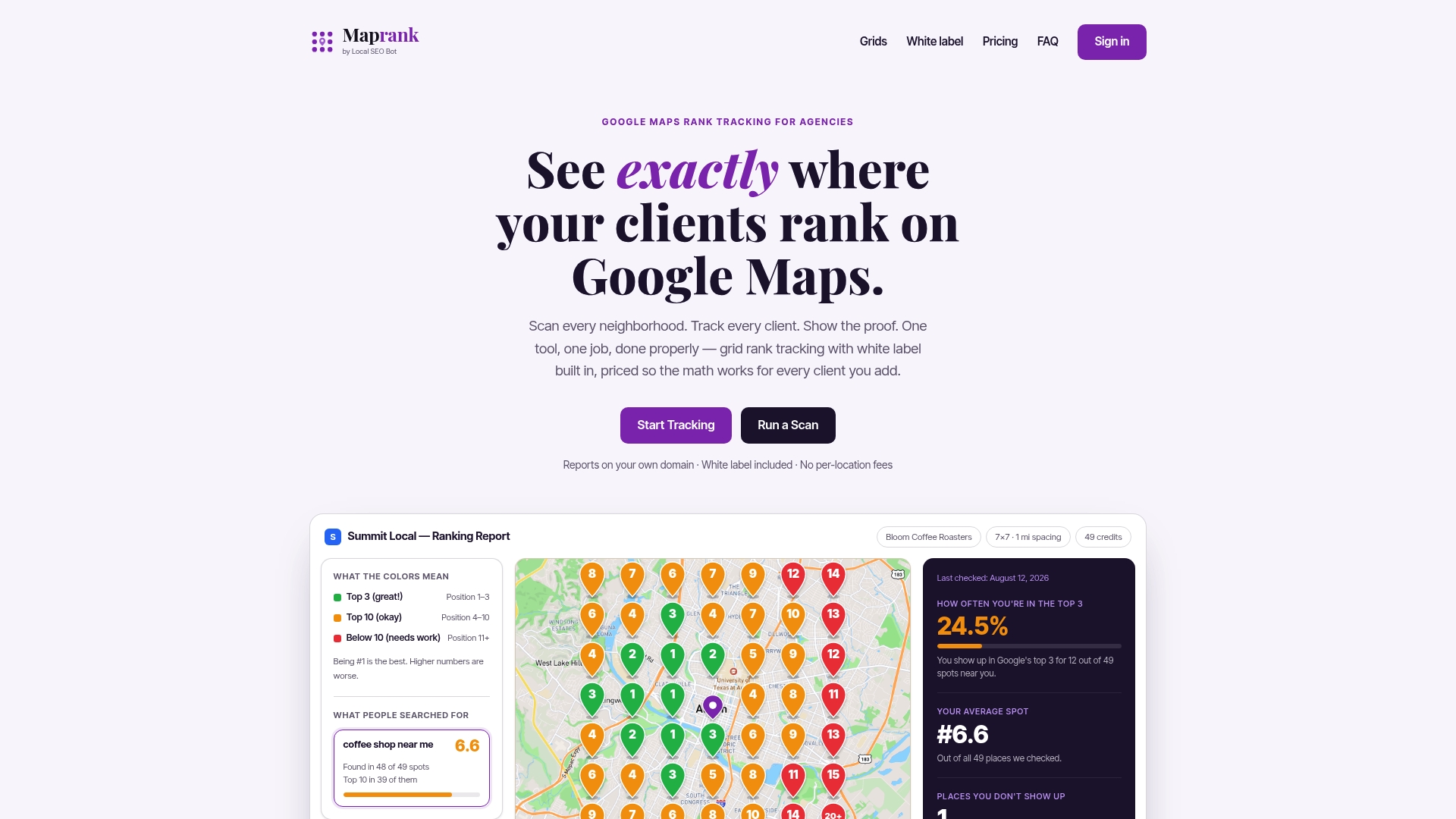
You can see the plans and start tracking, or run a one-off Google Maps rank check to get a baseline before your next review campaign.
FAQ
Do more reviews always mean a higher Google Maps ranking?
No. Reviews are one input among several, alongside relevance, distance and the overall strength of your profile. Studies suggest volume and recency matter, but a business far from the searcher or in the wrong category will still struggle. Aim for a steady flow of genuine reviews rather than a number.
Does my star rating affect my rank?
Google says review score factors into local rankings, but some studies suggest it matters less than volume and recency for ordering results. What is clearer is the effect on clicks: searchers use ratings to decide whom to contact. Keep your rating honest and respond to the low ones.
Can I offer a discount in exchange for a review?
No. Google prohibits offering payment, discounts or free goods or services for posting, changing or removing a review. You can ask every customer for honest feedback and give them a link or QR code. Incentives risk a review freeze or other profile restrictions.
How long before new reviews show up in my rankings?
There is no official timeline, and it depends on the market and competitor strength. A practical approach is to run a grid scan before you start, then rescan every two to four weeks and compare coverage by neighborhood. That shows whether and where the reviews helped.
Should I reply to every review?
Yes, where you can. Google advises valuing all reviews and replying briefly, helpfully and in a timely way. Replies are public and reviewers are notified, so a good reply can also lead a reviewer to update their feedback.
Sources
- Google: Customer Reviews Not A Signal For Web Search (Search Engine Journal)
- Role of Online Reviews in the Local Search Context (Smart Tourism, 2023)
- Best Practices Will Only Take You So Far (Yext Research)
- Tips to get more reviews (Google Business Profile Help)
- Read and reply to reviews on Google (Google Business Profile Help)
- Remove reviews from your Business Profile on Google
- Prohibited and restricted content (Maps User Generated Content Policy)
- Google Review Gating Policy: How to Ask Without Gating
- Fake Reviews Can Trigger Google Business Profile Restrictions
- Online Reviews and Local Buying Decisions
- How to ask for Google reviews