Geo Grid Best Practices for Agencies: Freeze Grids, Match Place IDs
Geo Grid Best Practices for Agencies: Freeze Grids, Match Place IDs

Treat a geo grid as a sampled measurement of local visibility, not a guarantee of position. The one practice that matters most is standardizing your grid geometry and scan variables (center, spacing, keywords, device, search surface), so rank changes stay comparable over time. Then match results by Google Place ID and corroborate movement with Google Business Profile signals.
TL;DR:
- Save the grid’s center, spacing, extent, and point count in the client file; version later changes instead of editing the baseline.
- Keep device, language, region, search surface, and scan time fixed; track new keywords separately, using weekly or monthly scans for trends and daily checks for alerts.
- Flag duplicate, spam, or merged listings, and keep a dated log of profile edits, review spikes, and outside events to investigate sudden shifts.
- Report grid visibility share, three pack coverage, and median rank alongside GBP clicks, calls, and direction requests; rank movement alone cannot show customer impact.
- To test whether a change caused movement, alter one service area or keyword group while leaving a comparable grid unchanged.
Table of Contents
- 1. Why use a geo grid for local rank tracking?
- 2. How do you design the grid: center, size, and spacing?
- 3. Which search variables should you lock down?
- 4. How do you keep scan data clean?
- 5. How should you interpret grid results?
- 6. What common mistakes should you avoid?
- 7. How should agencies present geo-grid findings to clients?
- 8. Why should an agency consider Maprank for grid-based tracking?
- FAQ
- Sources
1. Why use a geo grid for local rank tracking?
A single rank checked from a city center tells you very little. Google says local results are mainly based on relevance, distance, and prominence, and distance is measured from the searcher or the location term in the query. Move the searcher a few blocks and the result changes. A grid samples many searcher locations, so you see coverage instead of one lucky or unlucky point.
That is what makes grids useful for agency work:
- Coverage: you see which neighborhoods a client wins, shares, or loses.
- Market gaps: dark spots on the map show where a competitor owns proximity and where effort could pay off.
- Variability: query wording and search surface change what appears, and a grid makes that spread visible. Search Engine Land notes that near me and city-name searches can return different results.
- Context: Moz explains that local-pack signals differ from organic ranking, so grid data should never be read like a standard organic rank report.
What a grid does not do is promise a permanent position. Each point is a sample, taken at a moment, for a specific query. Say that to your clients before they ask.
2. How do you design the grid: center, size, and spacing?
Geometry decides whether your scans mean anything. Get it right once, document it, and leave it alone.
- Pick a documented center. Use the business address or the centroid of the service area, and write down why you chose it.
- Match extent to the real service area. A plumber covering a whole county needs a wider grid than a dentist whose patients live nearby.
- Tighten spacing in dense markets. Urban blocks can flip results within a short distance, so use closer points there and wider spacing in rural areas.
- Balance resolution against cost. Denser grids show more detail but use more scan credits, so choose the resolution that supports the decision you need to make.
- Freeze and version the definition. Once a grid is the baseline for a client, any change creates a new version, never an edit.
Pro Tip: Save the grid definition (center, spacing, extent, point count) in the client’s file before the first scan, so any teammate can reproduce it exactly.
For a deeper look at mapping a full service area, see our guide to local SEO grid trackers.
3. Which search variables should you lock down?
A grid only compares well when everything except location stays constant. Fix these before the first scan and write them into your reporting notes:
- Keyword phrasing: decide whether you track “near me” wording, city-name variants, or both, and stay consistent. Mirror how customers actually search.
- Device: choose mobile or desktop emulation and keep it consistent. Mobile may be a useful default for your audience.
- Language and region settings: mixing these across scans muddies comparisons.
- Search surface: define whether you are measuring Maps only or Maps plus Search results, because the two can differ.
- Scan timing and cadence: run scans at consistent times of day and on a fixed schedule to reduce temporal noise.
When a client wants a new keyword tracked, add it as a separate series. Changing the keyword inside an existing series breaks the trend line.
4. How do you keep scan data clean?
Rank data is only as good as the business matching behind it. Name-based matching fails when a competitor has a similar name, a client rebrands, or a listing is duplicated. Where possible, match results by Google Place ID instead of by name alone.
It also helps to know where profile data comes from. Google compiles profile information from owners, public web content, licensed data, and user contributions. That means a field can change without anyone on your team touching it.
- Track profile fields: categories, hours, phone, website, and address.
- De-duplicate: remove or flag spam, merged, and duplicate listings before they distort your KPIs.
- Keep a change log: record every profile edit, review spike, and known external event next to the scan date.
Pro Tip: Keep a dated change log per client. When a grid suddenly shifts, the log is the first place to look, before anyone blames an algorithm update.
The operational side of this, from profile upkeep to review handling, is covered well in this local SEO checklist.
5. How should you interpret grid results?
Treat every shift as a hypothesis. Because Google’s local data comes from several sources, a rank change may come from a profile edit, new reviews, citations, user contributions, or a competitor’s move. Correlation on a map is not causation, so connect each claim to evidence.
Useful KPIs for agency reports:
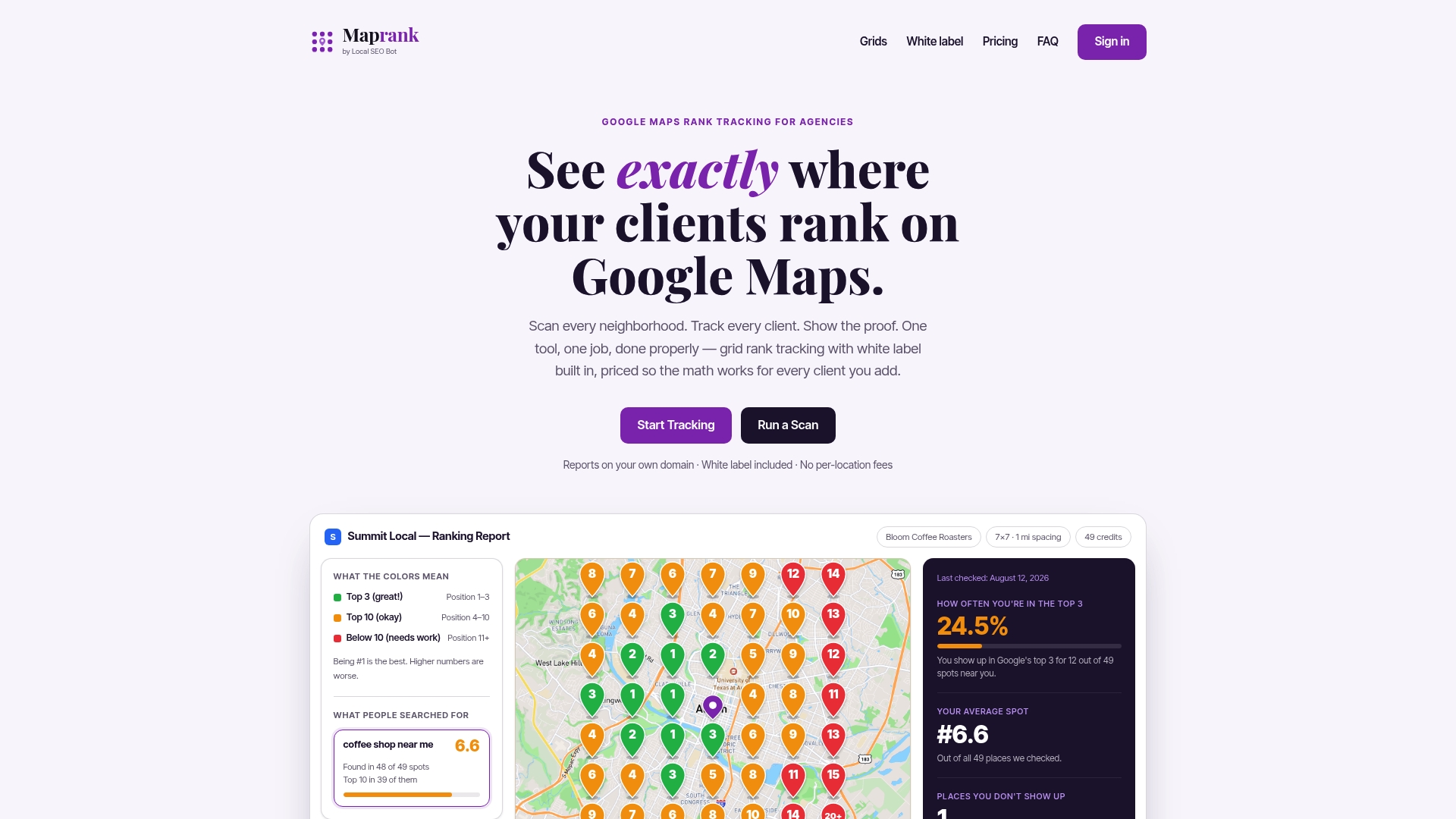
- Share of grid visibility: the portion of grid points where the client appears in the top results.
- Map-pack coverage: how many points place the client in the local three-pack.
- Median rank across the grid, plus the direction of change since the last scan.
- GBP insights: the GBP Best Practices Playbook recommends monitoring clicks, calls, and directions, and tagging links with UTM parameters to measure downstream impact.
Google’s guidance on the downstream signal: monitor GBP insights and use UTM-tagged links so map visibility can be tied to real customer actions, not just rank movement.
To attribute change to an action, test on a subset. Apply a profile or content change for one service area or keyword group, hold another constant, and compare the two grids.

6. What common mistakes should you avoid?
Most grid problems are self-inflicted. These habits keep your data reliable:
- Version every grid definition and keep an immutable copy of the baseline.
- Watch for GBP changes and review timelines whenever you see a sudden shift.
- Never swap keywords mid-series. If you must change one, run parallel grids and label them clearly.
- Match cadence to the need: daily scans for alerts, weekly or monthly for trend analysis.
Pro Tip: Label every exported map with its keyword, date, device, and grid version. A map with no context is easy to misread a month later.
7. How should agencies present geo-grid findings to clients?
Lead with the headline insight and show it on a map, then back it with GBP metrics and conversion evidence. Clients remember a red-to-green coverage map far longer than a table of ranks. Be explicit that a grid is a sampled measure of visibility, and say what you tested: which keywords, which device, which area. Keep reports white-labeled and the KPIs simple, so an executive can read the story quickly. Overpromising from one scan is the fastest way to lose trust.
— Local
8. Why should an agency consider Maprank for grid-based tracking?
Everything above is easier when your tool enforces it. At Maprank, we built our tracker around the practices in this article: customizable scan grids you can size and space to fit each service area, white-label reporting on your own domain, and unlimited businesses on every plan. Pricing is credit-based, so adding a client or a teammate does not add per-location fees, and we do not require Google account connections.
Our plans start with Maprank Solo at $19 per month, with Maprank Agency, Maprank Pro, and Maprank Scale above it, all listed on our pricing page. To see a grid on one of your own clients, run a one-off rank check or look at our local rank tracker.
FAQ
What is a geo grid in local SEO?
A geo grid is a set of sample points laid over a map, each checking local rankings as if a searcher stood there. It shows how visibility changes across an area instead of reporting one position. Our primer explains what a geo grid rank tracker is.
Why does my rank differ from point to point?
Google’s local results rely on relevance, distance, and prominence, and distance is measured from the searcher. Moving the search point changes which businesses are closest and strongest. That is why Google guidance frames rankings as location-dependent.
Should I track “near me” or city-name keywords?
Track the wording your customers actually use, and keep it consistent within a series. Each variant can produce different results, so run them as separate grids rather than swapping them mid-series.
How often should I run grid scans?
Weekly or monthly scans suit trend reporting, while daily scans suit alerting on important clients. Whatever cadence you choose, keep the scan time and variables consistent so each result is comparable.
Sources
- Tips to improve your local ranking on Google - Google Business Profile Help
- Support
- What Is the Google Local Pack? How to Rank in the 3-Pack
- Services GBP Best Practices Playbook 2026
- Local Search Ranking Factors - What Are They? - Moz