One Flat Credit System: White Label Client Portal for Agencies
One Flat Credit System: White Label Client Portal for Agencies

A white-label Google Maps client portal is worth building or buying if you manage local SEO for more than a handful of clients, and Maprank is the clearest agency-focused option available right now. The reasons come down to three things: geo-grid visibility that beats single-point rank checks, real white-labeling through a custom domain, and pricing that doesn’t punish you for adding locations. Done right, clients open a branded dashboard and see exactly where they win and lose, neighborhood by neighborhood, and that clarity is what keeps them paying you next quarter.
TL;DR:
- A geo-grid tracking system is crucial for detecting visibility gaps across neighborhoods, as single-point checks often miss these details.
- Full white-label branding, including custom domains and branded emails, ensures clients see a seamless, professional interface that reinforces your agency’s authority.
- Unlimited businesses and configurable scan grids enable scalable, predictable pricing without penalizing growth, especially for multi-location clients.
- Automating report delivery, setting scheduled scans, and using notifications help maintain client engagement and identify issues early.
- Building rapport through onboarding, regular check-ins, and visualizing progress in dashboards converts data into trust and increases client retention.
Table of Contents
- What a White Label Client Portal Means for Local Rankings
- Core Features an Agency-Grade Maps Portal Needs
- How to Set Up a Client Portal Step by Step
- What to Put in Every Client Report
- How to Price and Package Portal Access
- Turning the Portal Into a Retention Tool
- Why We Bet on a Branded Maps Portal Over Static Reports
- Try Maprank for Your Next Client Report
- Sources
What a White Label Client Portal Means for Local Rankings
In this context, a white-label client portal is not a general project management tool with your logo slapped on it. It’s a grid-based Google Maps ranking dashboard, delivered under your agency’s brand, that shows a client exactly where their business appears in the map pack across their service area.
That “grid-based” part matters more than most agencies realize. A single keyword rank check tells you a business ranks third for “plumber near me” from one point on the map. A geo-grid scan runs that same search from dozens of points scattered across a neighborhood or city, revealing where visibility actually breaks down. Specialized geo-grid tools surface pockets of weakness that single-point tracking simply can’t see.
Where the portal lives matters too:
- CNAME on your own domain puts reports at reports.youragency.com, so clients never see a vendor’s name.
- Vendor-hosted subdomain is faster to set up but leaks the tool’s branding into every login screen and email.
- Embedded iframe sits inside your existing client dashboard, which works well if you already have one.
True white-label reporting applies your logo, colors, and domain at every touchpoint, not just on the PDF cover page.
Core Features an Agency-Grade Maps Portal Needs
Not every rank tracker calling itself “white label” actually delivers what agencies need. Here’s what separates a real agency tool from a repackaged consumer app.
- Geo-grid scanning with configurable density. You need to set how many points you scan and how far apart they sit, because a downtown law firm and a suburban HVAC company need very different grid shapes.
- Full branding, including a custom domain. Logo and color swaps aren’t enough. Look for CNAME support and branded outbound emails so nothing ties back to the vendor.
- Unlimited businesses per plan. Per-location fees punish growth. A flat plan that scales with scan credits instead of client count keeps your margins predictable.
- Historical trends and exportable data. CSV and PDF exports matter when a client’s accountant or a corporate stakeholder wants raw numbers, not a dashboard login.
- Embed and API access. If you already run a client dashboard, the portal should slot into it rather than force clients to learn a second login.
- Clear data provenance and refresh cadence. Clients need to know when a scan ran, not just what it found.
Pro Tip: Before you commit to a platform, run one grid scan on your densest client and one on your simplest. If the tool handles both without you rebuilding the grid from scratch, it will handle your whole book of business.
Maprank builds around this exact list, with customizable scan grids and unlimited businesses baked into every tier rather than sold as an upgrade.
How to Set Up a Client Portal Step by Step
Getting a portal live takes less time than most agencies expect, but skipping a step here creates rework later. Follow this order.
- Inventory your data sources first. You need a rank scanner as the core, and GA4 or Search Console as useful supplements if you want to tie rankings to traffic.
- Pick your hosting approach. CNAME setup means pointing a subdomain like reports.youragency.com to the vendor’s servers through a DNS record. Most platforms provide the exact CNAME target. It takes minutes to configure and up to 24 hours to propagate.
- Configure your scan grids. Set seed points around the client’s service area, then choose grid density based on business type. A service-area business like an electrician needs a wider, denser grid than a single-location restaurant.
- Set up branding and client access. Upload the logo, set the color scheme, create client user accounts with view-only permissions, and confirm outbound emails carry your domain, not the vendor’s.
- Automate the delivery schedule. Decide how often scans run and reports send, and set threshold alerts for sudden ranking drops so you catch problems before the client does.
- Run a security and isolation check. Confirm one client can never see another client’s data, and confirm exported reports don’t leak vendor branding in file metadata.
Pro Tip: Test the CNAME setup with a dummy client account before rolling it out live. A broken domain redirect on a client’s first login is a bad first impression you don’t get to undo.
For agencies juggling 30 or more clients across multiple data sources, orchestration layers that automate the pull and delivery process save real hours every month compared to manually rebuilding reports.
What to Put in Every Client Report
The order you present information changes how a client reacts to it. Lead with rankings and you invite anxiety. Lead with outcomes and you invite trust.
- Executive summary first. One line stating the outcome, followed by the next action you recommend.
- Geo-grid heatmap. A visual showing map-pack coverage across the service area, color-coded by rank strength.
- Trend lines. Visibility and map-pack presence charted over weeks or months, not just a single snapshot.
- Business profile health checklist. Reviews, category accuracy, and photo counts, since these drive rankings almost as much as links do.
- Lead correlation. Tie ranking movement to expected changes in calls or form fills where you can.
- Supporting detail, relegated. Keyword-by-keyword tables belong deep in the report, not on page one.
Templates that put business outcomes ahead of rank tables consistently land better with local business owners, who care about phone calls, not SERP positions. Clients engage more when the first thing they see is a recommendation, not a wall of numbers.
How to Price and Package Portal Access
Three billing models work for agency portals, and most agencies eventually blend two of them.
- Bundle it into the retainer. Simplest for clients, but it hides the value you’re delivering unless you call it out explicitly in the report.
- Charge a separate portal fee. Transparent and easy to justify since the client sees exactly what they’re paying for.
- Pass through scan credits. Works well for high-volume clients with many locations, since costs scale with usage rather than a flat markup.
A per-scan credit model, like the one Maprank runs on, gives you a predictable cost basis to build margin on top of, instead of guessing at per-location fees the way older rank trackers charge. Unlimited-business plans remove a specific headache for multi-location clients: you can add a new franchise location mid-contract without renegotiating pricing or waiting on a vendor’s sales team. That flexibility is also an upsell path. Once a client sees clean grid data for one location, adding a second location to the same account is an easy conversation.
Turning the Portal Into a Retention Tool
A dashboard nobody opens isn’t worth the setup time. Treat the portal as a relationship tool, not a filing cabinet.
- Run a baseline audit and first scan during onboarding. Show the client their starting grid before you touch anything, so improvement has a clear reference point.
- Set a 30-day success plan. Name two or three specific moves you’ll make and what metric will shift.
- Establish a cadence. Weekly highlight emails, a monthly executive summary, and a quarterly deep-dive call.
- Use automated notifications. Scheduled emails that flag a rank jump or drop keep the client checking in without you manually reaching out every time.
- Watch for disengagement. If a client hasn’t opened a report in two cycles, that’s a churn signal worth a phone call, not just another automated email.
- Convert insights into billable work. A grid gap in one neighborhood is a natural pitch for added content or citation building in that specific area.
Pro Tip: Screen-share the portal on your first onboarding call instead of just emailing a login. Clients who watch you walk through their own grid data remember it, and remember you.
Portals that give clients ongoing visibility outperform static monthly PDFs specifically because clients can check in whenever curiosity strikes, which builds trust between the calls you actually bill for.

Why We Bet on a Branded Maps Portal Over Static Reports
Most agencies we talk to didn’t switch to a branded portal because they read a case study. They switched because a client asked, in a slightly annoyed tone, why the ranking report had another company’s logo on it. That moment is the real argument for white-labeling: clients hired you, not your vendor, and every unbranded touchpoint chips away at that relationship.
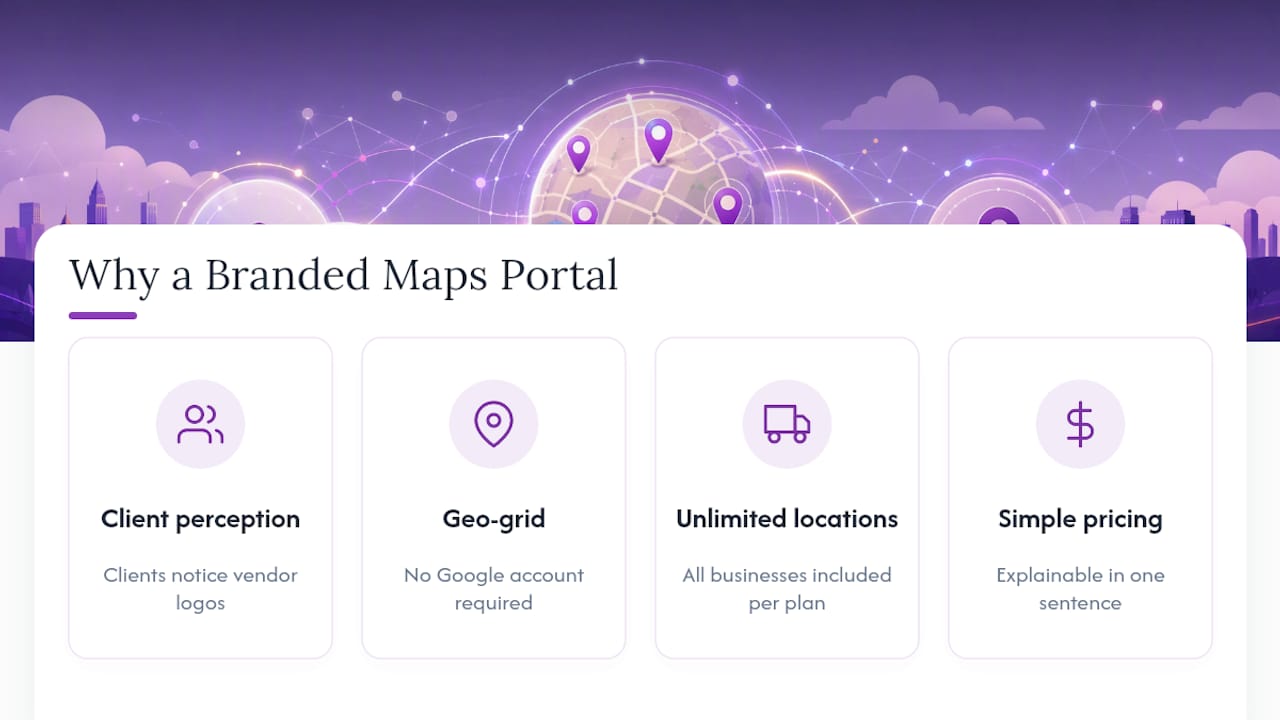
What convinced us Maprank fits this use case specifically is the combination most tools split apart: geo-grid tracking without forcing a Google account integration, unlimited businesses on every plan, and pricing you can actually explain to a client in one sentence. Rank trackers that charge per location punish exactly the agencies growing fastest.
The tools that win long-term aren’t the ones with the most features. They’re the ones your clients forget are even a separate tool.
— Local
Try Maprank for Your Next Client Report
If you’re still stitching together spreadsheets or fighting with a rank tracker that charges more every time you land a new client, Maprank removes that friction entirely: one flat credit system, unlimited businesses, and full white-labeling on every plan, not just the top tier.
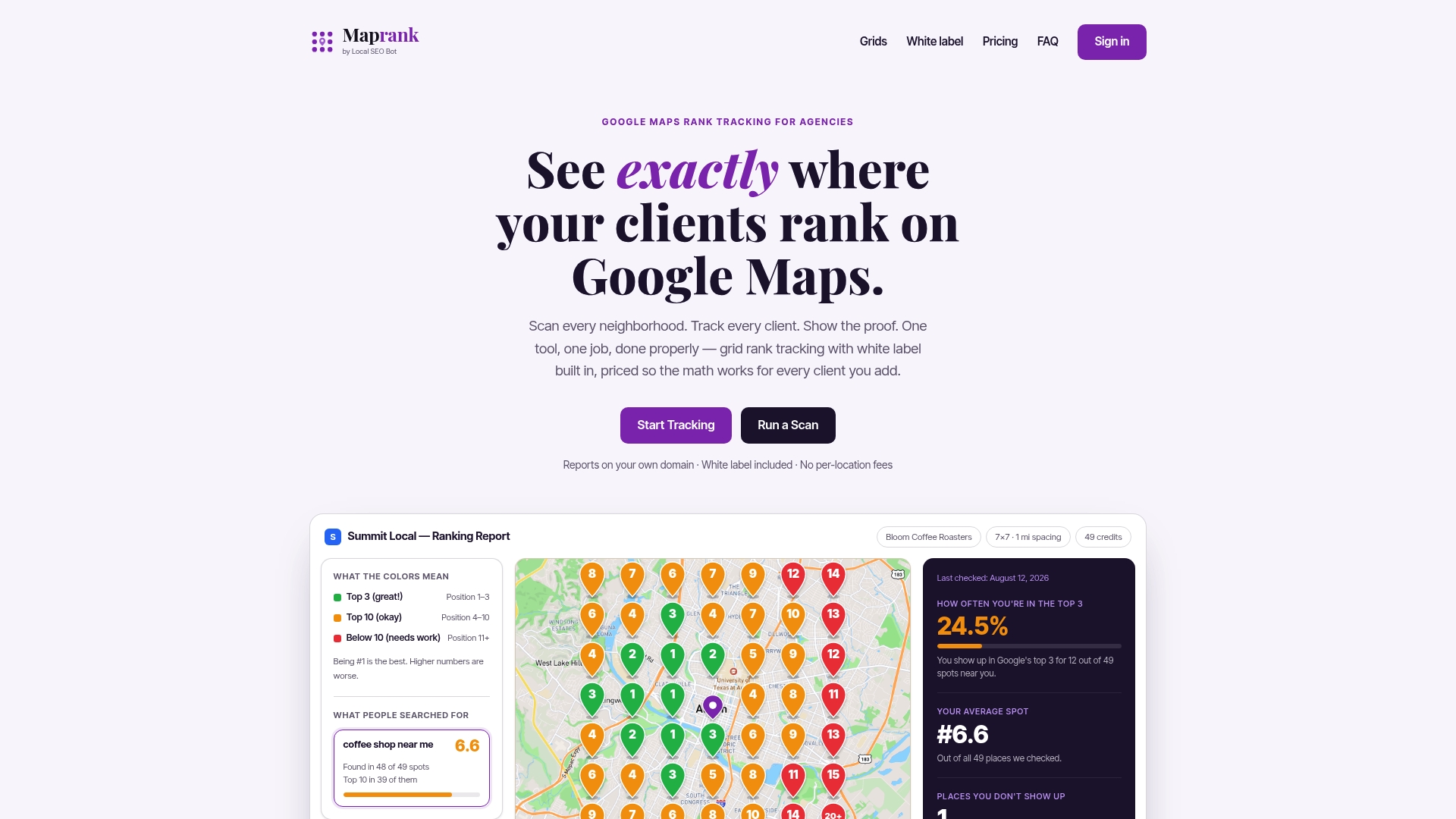
You don’t need to commit to anything to see whether it fits your workflow. Run a free grid scan on one of your current clients and compare it to whatever report you sent them last month. If you manage multiple locations for a single client, check the local SEO rank tracker page for how the unlimited-business pricing works in practice. Agencies weighing Maprank against other grid tools can also look at the side-by-side geo-grid comparison before deciding. When you’re ready to see current plans, the pricing and plan details lay out exactly what each credit tier includes.
Sources
Agencies looking to go deeper on the technical or operational side have a few solid places to start. For teams still building reports manually, Looker Studio’s connector-based approach works well at low client counts before the maintenance overhead catches up with you. For agencies managing high client volume, the same source breaks down how orchestration layers automate delivery at scale. And for report structure specifically, the agency playbook on executive-summary-first reporting is worth reading before you finalize your own template. Agencies comparing grid-tracking platforms broadly can also check the roundup of top local rank trackers for a wider view of what’s available beyond a single vendor.
- White Label Reporting for Agencies: The Complete Guide | Vista Social
- White-Label Report Delivery: 3 Approaches Compared 2026 | US Tech Automations
- White Label SEO Reports: 2026 Agency Playbook