Measure Neighborhood Impact of Google Business Categories for Agencies
Measure Neighborhood Impact of Google Business Categories for Agencies
Choose the most specific, truthful primary category your business fits, then add only secondary categories you can genuinely back up. Google gives you one primary category and up to nine secondary categories, all pulled from a fixed, predefined list. If your exact business type isn’t listed, pick the closest specific match and put the real detail in your Services, Products, and description fields instead of forcing a category that isn’t quite honest.
TL;DR:
- The primary category is the most influential factor for local ranking, so choosing the most specific, accurate option is crucial for visibility.
- Secondary categories help extend exposure to related searches but cannot compensate for a mismatched primary category.
- Updating categories should be done carefully: test changes over two to four weeks and monitor neighborhood-level performance rather than relying on single-location checks.
- Category features vary by type, enabling different profile functions such as online reservations or menu links, which depend on correct selection.
- Programmatic category management using category IDs helps avoid errors and maintain accurate, updated listings across multiple profiles.
Table of Contents
- What Google Business Categories Actually Do
- How to Choose the Right Primary and Secondary Categories
- How to Edit Categories in Your Google Business Profile
- Where to Find the Complete List of Google Categories
- Category Features You Only Get With the Right Category
- Common Category Mistakes and How to Avoid Them
- How to Track the Impact of a Category Change
- Why Category Strategy Is the Highest-Leverage Lever in Local SEO
- Test Category Changes Across Every Neighborhood, Not Just One
- Where to Go Deeper on Google Business Categories
- Sources
What Google Business Categories Actually Do
Google Business Profile categories are predefined labels that tell Google’s algorithm what kind of business you run. You can’t type in your own category, no matter how clever it sounds. Google maintains the master list, and every business picks from it. If “Vegan Bakery” exists, you use it. If it doesn’t, you pick the nearest real match, such as “Bakery,” and let your profile’s other fields carry the nuance.
Not every category slot carries the same weight. Your primary category is the single most important signal on your entire profile for local ranking purposes. It tells Google what business you fundamentally are, and it shapes which searches you’re even eligible to show up for. Secondary categories work differently. They’re lower-weight eligibility signals that widen the net a little, letting you surface for adjacent searches without pretending that’s your core identity.
Here’s how the two roles actually break down:
- Primary category: The strongest ranking signal on your profile. It determines your baseline eligibility for the Local Pack and Google Maps results tied to your core service.
- Secondary categories: Weaker signals that can extend your visibility into related searches, but they won’t rescue a mismatched primary category.
- No custom entries: Every category, primary or secondary, must come from Google’s predefined list. There’s no free text option here.
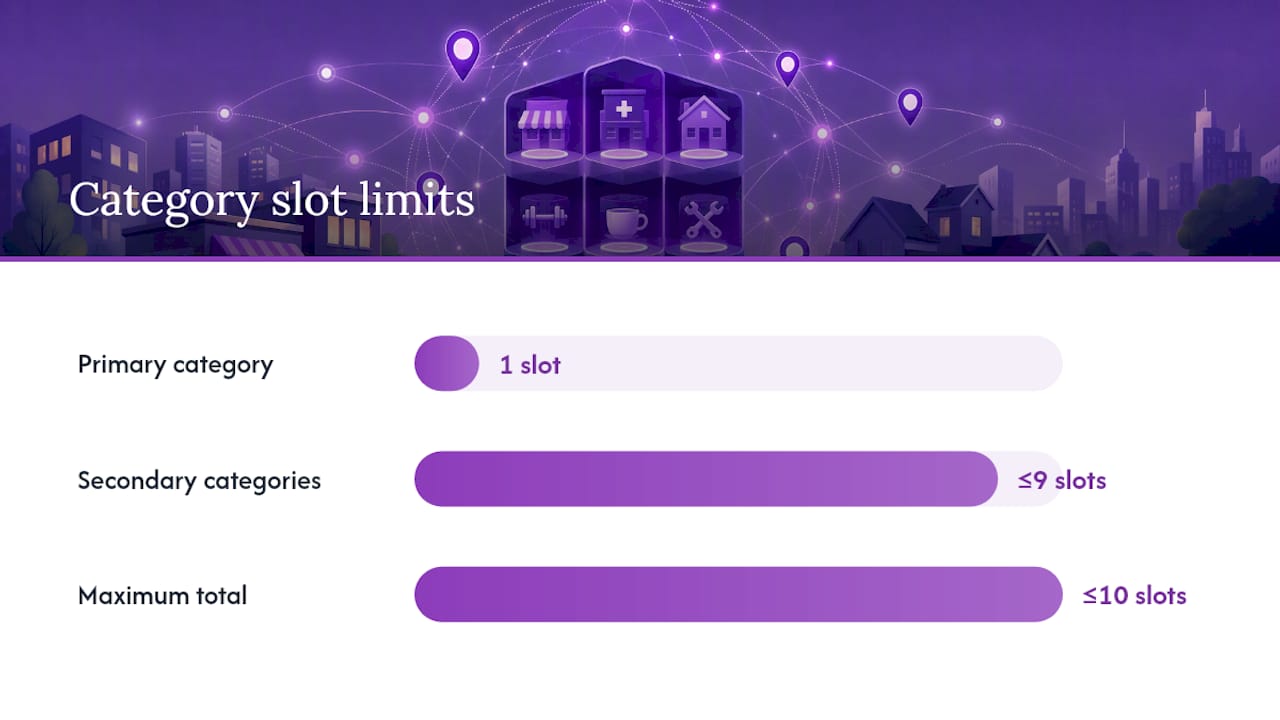
- Slot limit: One primary category, plus up to nine secondary categories, for a maximum of ten total.
Developers and agencies managing profiles at scale interact with categories a little differently. Instead of a display name typed into a dropdown, each category has a stable categoryId behind it. The categories.list API endpoint returns these IDs along with display names, and pulling categories programmatically avoids the ambiguity that comes from matching text strings across different languages and regions. If you’re managing dozens or hundreds of client profiles, that distinction matters more than it sounds like it should. A category named “Dentist” in English and its French equivalent point to the same underlying ID, but only if you’re referencing the ID directly rather than trying to string match display names.
How to Choose the Right Primary and Secondary Categories
Start with the primary category, because it’s doing most of the work. The rule is simple to state and harder to follow honestly: pick the most specific category that’s still completely true. A general contractor who only does kitchen remodels should choose “Kitchen Remodeler” over “General Contractor,” assuming that specific option exists. Specific categories inherit the general search intent anyway, so you’re not sacrificing reach by getting precise. You’re just adding relevance on top of it.
Industry practitioner surveys, including recurring Local Search Ranking Factors research from firms like Whitespark, consistently identify the primary category as the single most influential on-profile ranking factor for Local Pack visibility. Getting it wrong is often the most damaging mistake a business can make on its own listing, more damaging than a thin description or a missing photo.
For secondary categories, run each candidate through a three-question test before you add it:
- Can you deliver this today? Not “we’re planning to offer this” or “we used to do this.” If a customer called right now asking for it, could you say yes without hesitation?
- Would a searcher be glad they found you? If someone searches that category and lands on your profile, does your actual business satisfy what they were looking for?
- Can you back it up on your profile or website? Your services list, photos, and website should reflect the category, not contradict it. A “Pet Groomer” secondary category with zero grooming photos and no mention of grooming services on your site is a red flag to both customers and, potentially, to Google’s own verification checks.
When the exact category you need doesn’t exist on Google’s list, don’t force a loose fit and call it good enough. Pick the closest specific match that’s still accurate, then use your Services section, Products section, and business description to spell out exactly what makes you different. A specialty coffee roaster with no dedicated “Coffee Roaster” category available might select “Coffee Store” as primary, then list roasting services and wholesale options explicitly in the Services field.
Pro Tip: Before you change a category, screenshot your current Local Pack position for your top three search terms. You’ll want a clean before-and-after comparison, and “I think we ranked worse” isn’t something you can act on two weeks later.
Once you’ve made a change, don’t just wait and hope. Run a testing protocol:
- Change one category variable at a time, not three at once, so you know what caused what.
- Monitor for two to four weeks before drawing conclusions. Google’s local algorithm doesn’t always react instantly.
- Track specific metrics: Local Pack position for target keywords, profile views, calls, and direction requests.
- Keep a written change log with dates. Six months from now, “we think we changed something in the spring” isn’t useful data.
How to Edit Categories in Your Google Business Profile
Changing your categories takes a few minutes inside your Google Business Profile dashboard, though the ripple effects take longer to show up.
- Log in at business.google.com and select the listing you want to edit.
- Go to the “Business information” tab, then find the “Category” section, where your primary category sits separately from your list of secondary categories.
- Click the pencil icon to edit, remove your current primary category if needed, and search the predefined list for a replacement.
- Add secondary categories in the same panel, up to the nine-category limit, searching by keyword to find close matches.
- Save your changes. Google typically reflects category updates within a few hours to a couple of days, though ranking impact from the change can take longer to surface in search results.
One thing worth flagging clearly: editing your category can sometimes trigger a re-verification request, particularly for categories tied to sensitive or regulated industries, like legal services, financial services, or healthcare. If Google asks you to re-verify, don’t ignore the notification. An unverified listing can drop out of search results entirely while you sort it out.
For agencies managing multiple client profiles, the categories.list endpoint supports programmatic updates using categoryId rather than manually clicking through each dashboard. Document every category change you make, whether manual or automated, with the date, the old category, the new category, and the reason. That log becomes invaluable the first time a client asks why their rankings shifted three weeks after you touched their profile.
Where to Find the Complete List of Google Categories
Google doesn’t publish a single scrollable webpage listing every category by name. The most reliable source is the developer-facing categories.list API endpoint, which returns a paginated set of category objects. You control the results using parameters like regionCode, languageCode, and pageSize, which matters because category availability and naming can shift depending on the market you’re targeting.
Inside the standard Google Business Profile dashboard, you won’t see this raw list. Instead, you get an autocomplete search box when adding a category, and it’s quietly querying that same underlying dataset behind the scenes. Type “plumb” and you’ll see every category containing that root, mapped directly to Google’s official list.
If you’d rather browse than search blindly through autocomplete, a few things help:
- Third-party searchable category lists, such as this list of more than 4,200 categories, mirror Google’s official taxonomy and let you filter or search by keyword.
- Cross-check freshness against the API before relying on a third-party list for a final decision, since Google periodically adds or retires categories and static lists can lag behind.
- Related developer resource: the Places API’s place types documentation covers a related but distinct taxonomy used for place classification, useful context if you’re building tools that touch both systems.
Category Features You Only Get With the Right Category
Some categories don’t just affect your rankings. They unlock entire features on your profile that other categories simply don’t have access to.
- Restaurants get menu links, online ordering integration, and reservation buttons that non food-service categories never see.
- Hotels and lodging categories unlock amenity lists, star-class attributes, and room-type details.
- Health and beauty businesses, including salons and spas, can enable a direct booking button that lets customers schedule appointments straight from the search result.
Google’s own guidance confirms that categories like restaurants unlock these specialized features, which means your category choice isn’t purely a ranking decision. It’s a functionality decision too. A restaurant miscategorized as “Caterer” might lose access to the menu and reservation features that actually drive foot traffic.
Before you lean on a feature-unlocking category, make sure your profile can support it. A salon that selects a booking-enabled category but never fills in service hours or connects a booking provider is leaving the feature dark. The category opens the door. Your profile fields and website have to walk through it, backing up the promise with real, verifiable information a customer can act on.
Common Category Mistakes and How to Avoid Them
The most common mistake is choosing a primary category that’s too broad because it feels safer or covers more ground. A specialty tax preparer choosing “Accountant” instead of “Tax Preparation Service” isn’t hedging their bets. They’re diluting their relevance for the exact searches that would have converted best.
Copying a competitor’s category list is another trap. Just because a nearby business added “Wedding Planner” as a secondary category doesn’t mean it fits your actual services, and Google’s algorithm doesn’t reward mimicry. It rewards accuracy.
Watch for these patterns:
- Overbroad primary categories that trade specificity for a false sense of safety.
- Irrelevant secondary categories added because they seemed related, not because they’re actually true.
- Copying competitor category lists wholesale without checking whether they fit your own business.
- Never revisiting your categories after Google adds new, more specific options to the list over time.
The fix is straightforward, even if it takes discipline: pick a specific, truthful primary category, keep your secondary list short and verifiable, and periodically check whether a newer, more precise category has appeared that fits you better than your current pick. Don’t pad your category list to look bigger than you are, and stay alert for re-verification prompts anytime you touch a sensitive category.
How to Track the Impact of a Category Change
Changing a category and then just checking your own rankings from your office isn’t a test. It’s a guess dressed up as data, because a single search from a single location tells you almost nothing about how you rank two neighborhoods over.
- Set a baseline before you touch anything. Record your current Local Pack position for your top three to five target search terms, along with call volume and website clicks from the profile for the prior two weeks.
- Make one category change at a time, then wait. Give it two to four weeks minimum before drawing conclusions, since Google’s local algorithm doesn’t reprocess instantly.
- Track more than rank position. Watch Local Pack visibility, map placement, phone calls, direction requests, and, where relevant, reservation or booking clicks tied to category-specific features.
- Use grid-based rank tracking instead of a single spot check. A grid scan shows you how a category change performs across dozens of points spread through your service area, which matters enormously because Google Maps rankings shift block by block, not citywide.
- Revert if the change hurts you. If visibility drops after a category swap, don’t wait it out for months hoping it recovers. Change it back and re-test with a different category.
Pro Tip: A single “check my ranking” search from your laptop only tells you how you rank at your laptop’s location. Businesses three miles apart can show completely different Local Pack results for the identical search term, so one data point from one spot is close to useless for judging a category change.
Agencies managing several client profiles benefit from automating this process rather than manually searching from different browser sessions. Tools built around neighborhood-level rank tracking let you see the geographic pattern of a category change rather than a single, misleading snapshot.
Why Category Strategy Is the Highest-Leverage Lever in Local SEO
Agencies that treat category selection as a checkbox item during onboarding are leaving easy wins on the table. The category decision is one of the few profile elements that directly changes which searches a business is even eligible to appear in, and that eligibility gap is often bigger than anything a review campaign or a handful of new photos will move.
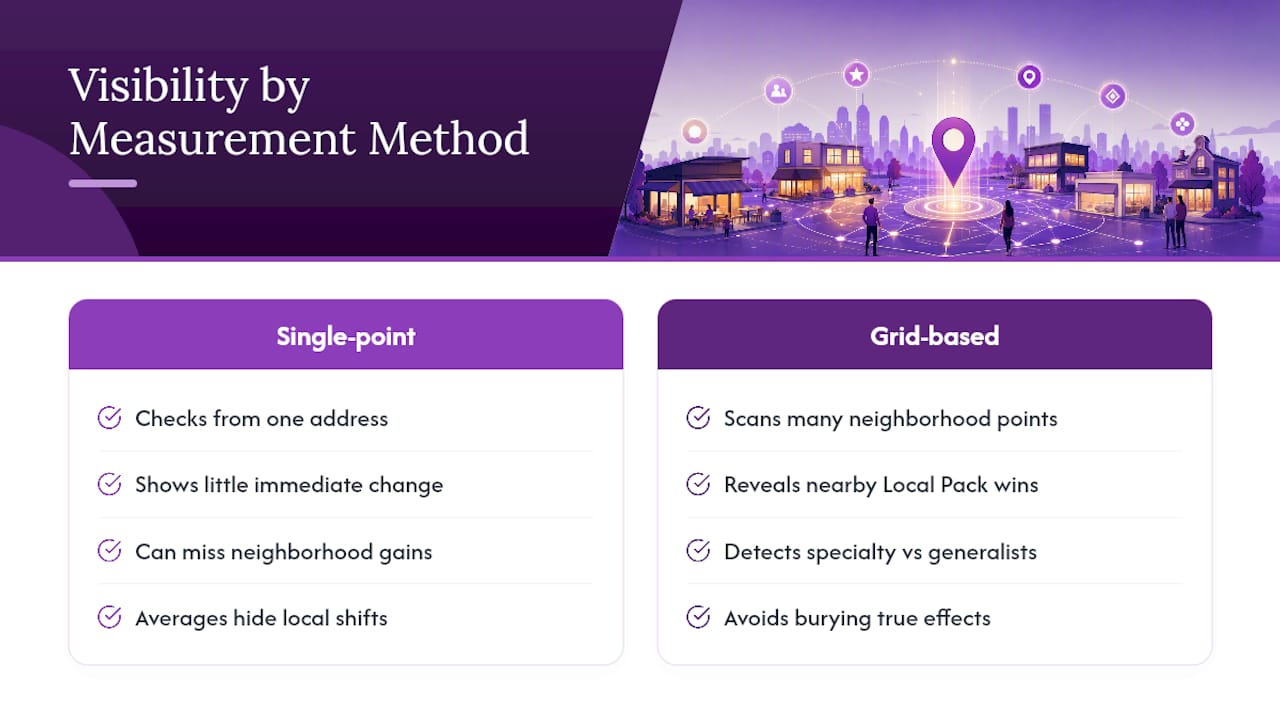
What consistently surprises newer local SEOs is how visible a category change becomes at the neighborhood level before it shows up in any citywide average. A regional client once switched from a generic “Contractor” primary category to a specific trade category tied to their actual specialty. Checking from one central location showed barely any movement. A grid scan across the surrounding service area told a different story: several previously invisible grid points near competing specialty contractors started returning the client in the Local Pack, while a couple of points near a dense cluster of generalist competitors barely shifted at all. Averaging that data into a single “rank” number would have buried the real story.
That’s the case for grid-based tracking over single-point checks. A category change is a hypothesis about how Google interprets your business, and the only honest way to test a hypothesis is to measure it everywhere it could plausibly show an effect, not just from the one address where your office happens to sit.
— Local
Test Category Changes Across Every Neighborhood, Not Just One
Once you’ve picked a sharper primary category, the real question is whether it actually moved the needle, and a single search from your desk won’t answer that. Some rank tracking tools run grid-based scans across your entire service area, showing exactly which streets and neighborhoods responded to a category change and which didn’t, without requiring a Google account integration for every client you manage.
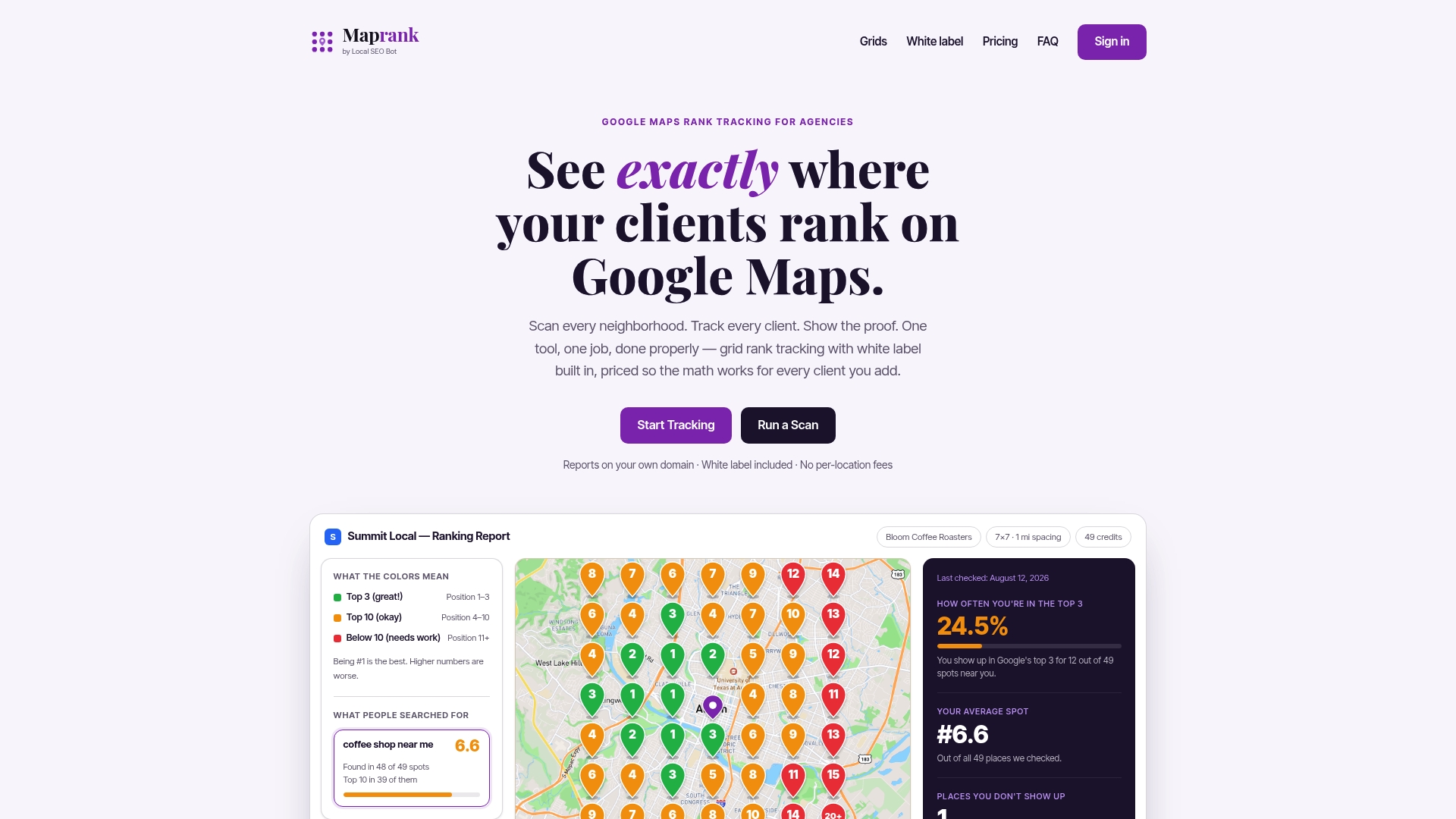
Some service providers offer agencies juggling multiple client profiles unlimited businesses on every plan, customizable scan grids sized to match a tight urban core or a sprawling suburban territory, and white-label reports that go out under your own brand rather than a third-party logo. Instead of guessing whether a category swap helped, you hand your client a map showing coverage before and after. If you’re testing a category change this month, check your current neighborhood-level ranking before you make the switch, so you’ve got a real baseline to compare against.
Where to Go Deeper on Google Business Categories
For the rules straight from Google, start with the official guidance on managing your business category, which covers category selection, restrictions on custom categories, and re-verification triggers. Developers automating category updates across multiple listings should reference the categories.list API documentation for parameter details and category object structure.
If you want to browse the full taxonomy outside the API, the searchable list of over 4,200 categories offers a practical way to find close matches, though always confirm freshness against Google’s own endpoint before finalizing a decision for a client. For measuring the on-the-ground impact of any category change, Maprank’s rank tracking tools give agencies a way to see results by neighborhood rather than guessing from a single search.
Sources
- Manage your business category - Google Business Profile Help
- REST Resource: categories | Google Business Profile APIs | Google for Developers
- Google Business Profile Categories List (4,200+) - Search & Filter