Map Pack Cannibalization: Agencies Need Grid Scans Before Merging
Map Pack Cannibalization: Agencies Need Grid Scans Before Merging

Map pack cannibalization happens when multiple listings from the same brand, or locations sitting too close together, compete for the same local pack spots and drag down each other’s visibility. The first move is always the same: run a duplicate audit alongside a grid-based rank scan before touching anything. Google’s own guidance treats duplicate profiles as a policy violation, and it can hide or remove them without warning.
TL;DR:
- Google permits one profile per location serving customers; merge duplicates through support rather than deleting them, or the business may lose review history.
- A separate listing at a shared address is justified only when businesses operate distinctly and have separate signage; otherwise, add services to the canonical profile.
- Run a grid scan before investigating duplicates, because one search point can miss neighborhood suppression; save screenshots and verification records for appeals.
- After resolving duplicates, give each storefront a unique page with local context and services, then build reviews and backlinks tied to that address.
- Schedule weekly grid scans during remediation or in dense markets, and monthly scans for stable businesses with one location to catch renewed overlap.
Table of Contents
- What causes listings to compete with each other
- Google’s rules on duplicate and multiple listings
- How to audit and detect cannibalization across a portfolio
- Fixing cannibalization and keeping it from coming back
- Why grid tracking is the only way to catch this early
- Which locations to fix first and how to bill for it
- How Maprank supports multi-location cannibalization audits
- FAQ
- Sources
What causes listings to compete with each other
Google ranks local results using three factors: relevance, distance, and prominence, as laid out in its guidance on local ranking. When two profiles from the same brand satisfy those factors almost equally for the same searcher, Google’s systems have to pick one, and the loser often disappears from the map pack entirely rather than ranking lower.
The technical causes are usually mundane. A franchise opens a second location two miles from the first and both profiles get nearly identical category and service data. A service-area business creates overlapping profiles for territories that bleed into each other. A web team rolls out templated location pages with the same boilerplate copy swapped only for a city name. Inconsistent name, address, and phone (NAP) data across directories adds to the confusion, giving Google conflicting signals about which listing represents the real storefront.
Manipulative tactics make this worse. Fake locations, virtual offices listed as storefronts, and doorway pages built purely to rank are exactly what Google’s spam systems are tuned to catch. When an agency tries to force visibility by spinning up extra profiles instead of strengthening the real one, the likely outcome is a suppressed or removed listing rather than added reach.

Google’s rules on duplicate and multiple listings
Google’s policy is direct: one Business Profile per customer-facing location, full stop. According to the duplicate resolution guidance, a second profile for the same address and business is a duplicate, and Google reserves the right to hide or remove it rather than let it compete with the original.
Exceptions exist. A single address can host more than one listing when it genuinely contains separate businesses with distinct signage and operations, such as a bank branch inside a grocery store. Outside that scenario, treat every new profile request with suspicion.
When duplicates surface, merging is the standard fix: claim both, verify ownership, and request a merge through Google’s support channels rather than deleting one outright, since deletion without a merge can lose review history. If a listing gets wrongly suppressed, Google provides an appeal path, but it requires documentation showing the profile represents a legitimate, uniquely operating location. The practical consequence for agencies is simple: when a client launches a new service line, add it to the existing profile’s services and categories instead of spinning up a new listing for it.

How to audit and detect cannibalization across a portfolio
A reliable audit follows the same sequence regardless of portfolio size.
- Inventory every Google Business Profile and location page tied to the client, including abandoned or unclaimed listings.
- Plot each address onto a scan grid to see how physical proximity maps to ranking overlap.
- Compare categories, services, and business descriptions across locations to spot copy-pasted or conflicting data.
- Pull review counts, review velocity, and backlink signals for each storefront to see which one Google currently favors.
- Cross-check NAP data against major aggregators to find inconsistencies feeding the confusion.
Watch for a handful of telltale signals: a listing that was ranking and then vanished from the map pack, a nearby location suddenly appearing in search results where another used to show, and directory data that contradicts what is on the client’s own site. Coordinate-based checks and grid scans expose these patterns faster than a single search from one location ever will, since a one-point check only shows what one searcher sees. Export verification statuses and screenshots as you go. Those records matter if a profile needs to be appealed later.
Pro Tip: Run the grid scan before the duplicate audit, not after. Seeing the suppression pattern first tells you which listings are worth the time to investigate.
The deliverable should be a prioritized fix list: which locations are losing visibility, how severe the overlap is, and what fixing it is likely to recover.
Fixing cannibalization and keeping it from coming back
Remediation starts with cleanup. Merge or remove duplicate profiles through Google’s official process, correct NAP data everywhere it appears, and consolidate every service under the one canonical profile for that address.
- Build a unique location page for each storefront instead of a templated one, with its own service list, staff details, and local context by following this location page SEO playbook for multi location brands.
- Add localized case studies or project photos that could not plausibly belong to a different branch.
- List explicit, location-specific services rather than copying a generic company-wide list.
Prominence work follows naturally once duplication is resolved:
- Run a location-specific review campaign, with owners responding to reviews under that storefront’s name.
- Build local backlinks, such as sponsorships, local press, or chamber of commerce listings, tied to that specific address.
- Keep business hours, photos, and posts current for each profile rather than only the flagship location.
Governance keeps the fix from unraveling. Set a naming convention for location pages and profiles, keep a change log of every edit made to a GBP, correct aggregator data on a schedule rather than once, and put a recurring audit on the calendar instead of treating this as a one-time cleanup. Practitioner guidance on multi-location SEO points to the same root cause repeatedly: templated pages and inconsistent signals are what cause one location to get buried.
Why grid tracking is the only way to catch this early
A single rank check from a client’s office tells you almost nothing about what a searcher three neighborhoods oversees. Grid-based scanning tests dozens of points across a service area and shows exactly where one listing starts suppressing another, which is the core blind spot of point-based tracking.
Track a short list of metrics consistently:
- Map pack visibility share across the full grid, not just the center point.
- Count of hidden, merged, or suspended profiles at any given time.
- Review velocity per location, since prominence is partly driven by how fast reviews accumulate.
- Neighborhood-level ranking heat maps that show where coverage gaps sit.
High-risk clients, meaning anyone mid-remediation or in a dense competitive market, warrant weekly scans. Stable, single-location clients are usually fine on a monthly cadence. In reporting, show the heat map before and after a fix. It makes the remediation’s impact obvious in a way a ranking number alone never does, and it is the clearest way to demonstrate return on the work. The local pack tracking approach built around 3-pack visibility is worth reviewing when setting up this kind of client-facing report.
Which locations to fix first and how to bill for it
Not every flagged location deserves equal attention. Prioritize by revenue potential, competitive intensity, and how badly a listing is currently performing. A storefront generating real revenue but sitting as a ghost listing in a competitive metro area should jump the queue ahead of a low-traffic location with a minor category mismatch.
This work packages cleanly as a billable service: an initial audit, a remediation phase with a defined list of fixes, and ongoing monitoring with scheduled reports. Keep a change log for every profile edit. Clear documentation protects the agency if a client questions what changed and speeds up any appeal if Google flags a legitimate profile by mistake.
— Local
How Maprank supports multi-location cannibalization audits
We built Maprank for exactly this workflow: customizable scan grids that show neighborhood-level suppression, white-label reports on your own domain, and unlimited businesses on every plan, with no Google account integration required.
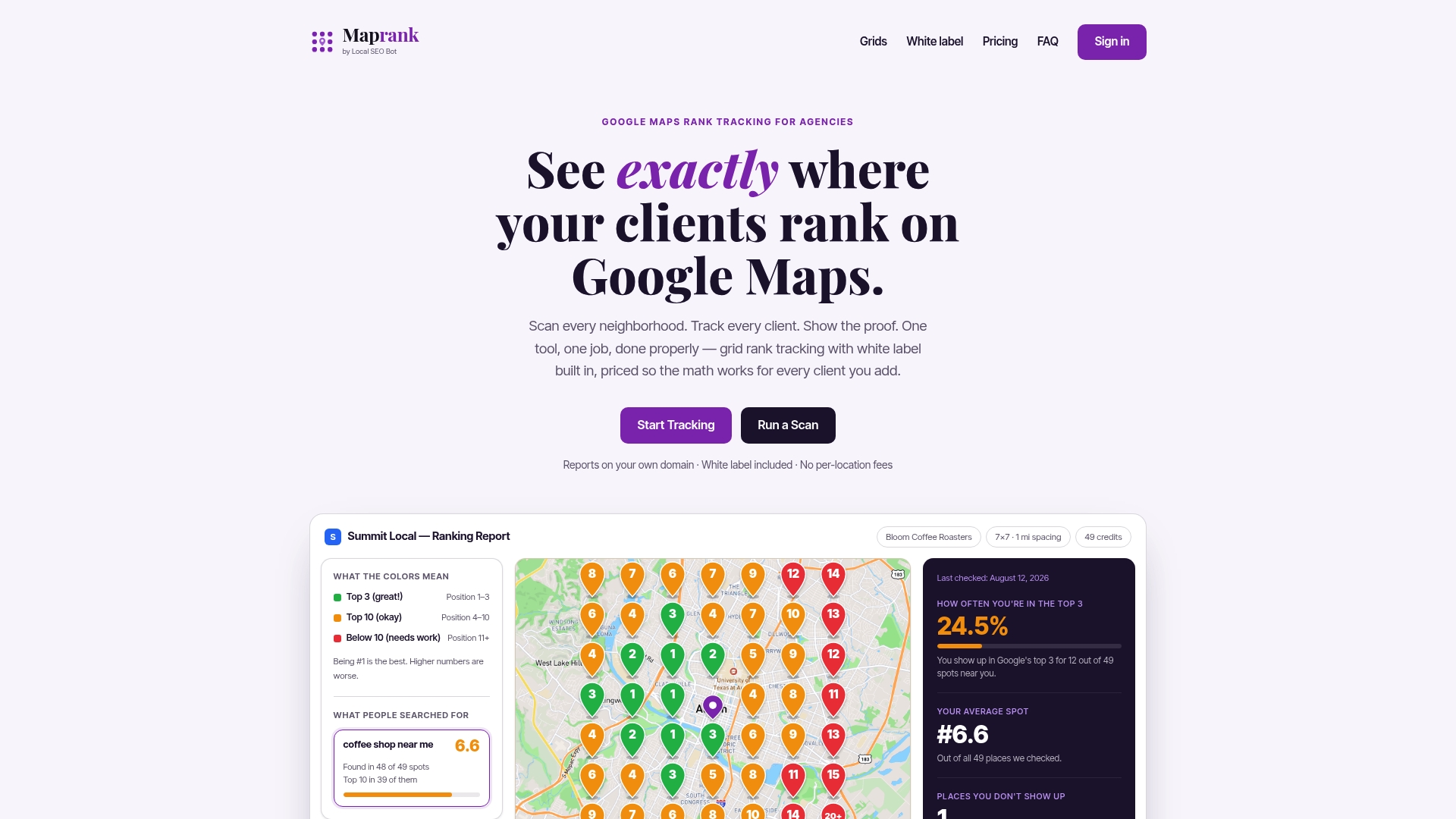
A typical sequence looks like this: run a baseline grid scan across the client’s service area, prioritize duplicate and NAP fixes using what the scan reveals, then schedule recurring scans to document the recovery in a client-ready report. If you want to test the approach on a single location first, our one-off rank check is the fastest way to see a grid scan in action before committing to a plan.
FAQ
What is map pack cannibalization in local SEO?
Map pack cannibalization is when two or more listings, usually from the same brand or nearby addresses, compete for the same local pack spots and end up suppressing each other’s visibility. Google’s local pack can only show a limited set of results, so overlapping relevance, distance, and prominence signals often push one listing out entirely.
How does Google handle duplicate Google Business Profiles?
Google allows only one profile per customer-facing location and treats extra profiles for the same business as duplicates, which it may hide or remove from Maps and Search according to its official duplicate policy. The standard fix is claiming both listings and requesting a merge rather than deleting one outright.
How do I know if a listing is suppressed versus just ranking lower?
A suppressed listing typically disappears entirely from local pack results in areas where it used to show, while a listing that is simply ranking lower still appears, just further down. A grid-based scan across multiple points in the service area is the clearest way to tell the difference, since a single search can miss a listing that still shows up elsewhere.
What is the fastest way to fix a cannibalized location?
Start by merging or removing the duplicate profile, correcting NAP data across directories, and consolidating services onto the single canonical listing for that address. Building a unique, non-templated page for that location and running a localized review push typically follows once the duplication issue is resolved.
How often should agencies monitor for map pack cannibalization?
Weekly grid scans make sense for clients actively going through remediation or operating in dense, competitive markets, while monthly scans are usually enough for stable, single-location clients. Consistent cadence matters more than frequency alone, since cannibalization patterns can reappear months after an initial fix.
Sources
- Resolve duplicate profiles & ownership issues - Google Business Profile Help
- The Complete Guide To Local SEO For Multiple Locations